
WP Ghost (Hide My WP Ghost) is a hack-prevention WordPress security plugin available on WordPress.org and wpghost.com. It is a separate product from similarly named plugins sold on Codecanyon. WP Ghost is built specifically for the WordPress ecosystem with a free version on the official WordPress plugin directory and a premium version with advanced features. This page explains the differences for users researching WordPress path security plugins.
WP Ghost vs Codecanyon Alternatives

What WP Ghost Includes
WP Ghost provides a comprehensive hack-prevention solution. Key features include:
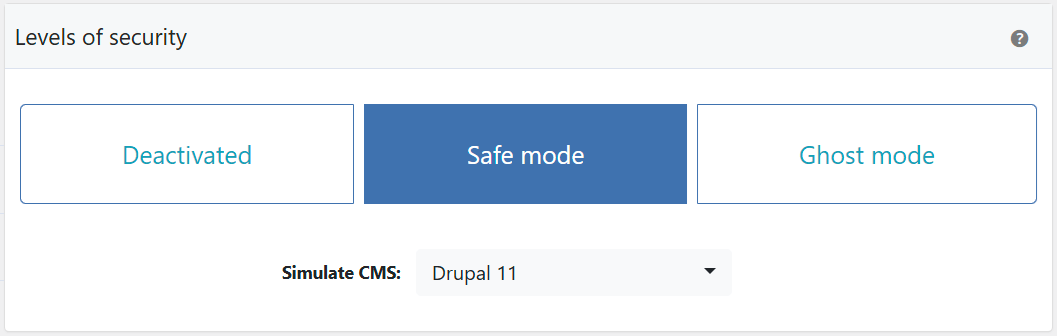
Path Security: Change and hide wp-admin, wp-login.php, wp-content, wp-includes, plugins, themes, and uploads paths. Predefined security levels (Safe Mode and Ghost Mode) for one-click setup.
Firewall: 7G and 8G firewall rules that block SQL injection, script injection, directory traversal, and other attacks at the server level before WordPress loads.
Brute Force Protection: Login attempt limits with Math reCAPTCHA, Google reCAPTCHA V2/V3, and Google reCAPTCHA Enterprise support.
Two-Factor Authentication: 2FA by code, email, and passkeys (Face ID, Touch ID, Windows Hello, hardware security keys).
Security Headers: HSTS, Content-Security-Policy, X-XSS-Protection, X-Content-Type-Options, and X-Frame-Options.
Advanced Features (Premium): Security Threats Log, User Events Log, country blocking, file permission management, SALT key regeneration, vulnerability management, and AI crawler blocking.
Compatibility: WP Ghost is tested with over 1,000 plugins and themes, including WooCommerce, and works alongside hosting firewalls and other security plugins like Wordfence and Solid Security.
The free version is available at wordpress.org/plugins/hide-my-wp. For a complete feature breakdown, see What Is WP Ghost?
Frequently Asked Questions
Is WP Ghost the same plugin as the one on Codecanyon?
No. WP Ghost (Hide My WP Ghost) and similarly named Codecanyon plugins are completely separate products with different developers, different codebases, and different features. WP Ghost is distributed through WordPress.org (free) and wpghost.com (premium).
Can I switch from a Codecanyon plugin to WP Ghost?
Yes. Deactivate and delete the Codecanyon plugin, then install WP Ghost from WordPress.org or wpghost.com. The settings don’t transfer between different products, so you’ll need to configure WP Ghost from scratch. WP Ghost’s predefined security levels (Safe Mode or Ghost Mode) make initial setup quick.
Is there a free version of WP Ghost?
Yes. The free version on WordPress.org includes path security, 8G/7G firewall, 2FA (code, email, passkeys), brute force protection, security headers, reCAPTCHA, text and URL mapping, and 115+ hardening features. The premium version adds advanced logs, country blocking, file permissions, SALT regeneration, and priority support.
How does WP Ghost receive updates?
The free version updates through WordPress’s built-in update system, just like any WordPress.org plugin. The premium version updates through the WP Ghost Dashboard license system. Both receive automatic update notifications in the WordPress admin.
Does WP Ghost modify WordPress core files?
No. WP Ghost uses server rewrite rules and WordPress hooks for all security features. No files are moved, renamed, or modified. Deactivating WP Ghost restores all defaults instantly.
Related Tutorials
Getting started with WP Ghost:
- What Is WP Ghost? – Complete product overview and feature list.
- Change WordPress Paths – Core path security configuration.
- Hacker Bot Attack Types – Attacks WP Ghost prevents.