
If Elementor, Divi, Bricks, or another page builder shows “Saving failed” or similar errors after changing the admin-ajax.php path in WP Ghost, the page builder’s save requests can’t reach the new AJAX endpoint. Page builders rely heavily on AJAX calls for saving content, loading templates, and syncing editor state.
Log out and log back in
If you changed both the wp-admin and admin-ajax.php paths, your session cookies are tied to the old paths. Log out completely and log back in through your custom login path. This creates fresh cookies on the new paths and resolves most page builder save errors immediately.
Clear all caches
Page builders cache the AJAX endpoint URL in their JavaScript. Clear your WordPress cache plugin, CDN cache, and browser cache. Enable Change Paths in Cached Files at WP Ghost > Change Paths so cached JS files use the new AJAX path. Reload the page builder editor after clearing.
Run the Frontend Test
Go to WP Ghost > Change Paths and click the Frontend Test button. If the test fails for the AJAX path, your server’s rewrite rules aren’t mapping it correctly. Follow the configuration instructions shown for your server type.

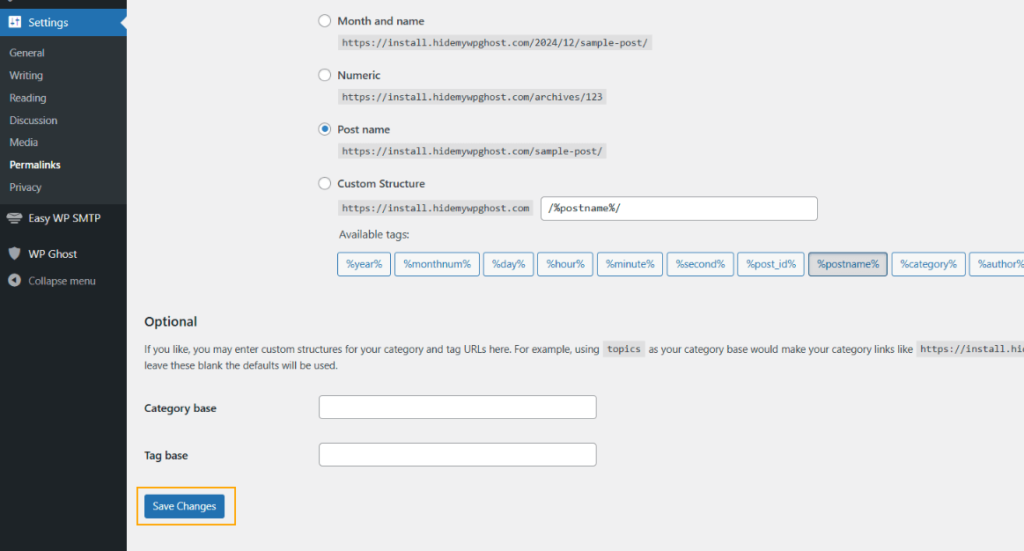
Flush permalink settings
Go to Settings > Permalinks and click Save Changes without modifying anything. This regenerates the rewrite rules that map the custom AJAX path to the original endpoint.
Revert to the default admin-ajax path
To confirm the AJAX path is the cause, go to WP Ghost > Change Paths > Ajax Security and set the path back to admin-ajax.php. If Hide wp-admin from Ajax path is enabled, switch it off too. Save and test saving a page in the builder. If saving works with the default path, consider keeping the default AJAX path and using WP Ghost’s other security features instead. See also Elementor Stopped Working After Changing Paths for additional Elementor-specific fixes including REST API and admin path checks.

If you’ve lost access to the admin dashboard, see the emergency disable guide.