
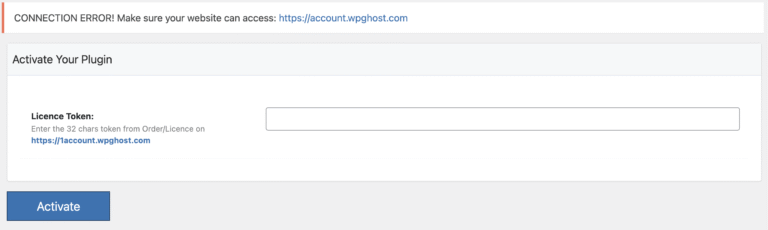
If you see “CONNECTION ERROR! Make sure your website can access: https://account.wpghost.com” when activating your WP Ghost license or connecting to the cloud, your server’s firewall is blocking outbound connections to WP Ghost’s cloud API. This is a hosting-level restriction, not a WP Ghost issue.
Ask your host to whitelist the WP Ghost server IP
Contact your hosting provider’s support and ask them to whitelist the following IP address for outbound connections from your server:
116.203.193.175This is the WP Ghost cloud server that handles license activation, security updates, and the Safe URL feature. Your server needs to be able to reach this IP for the plugin to connect. Some hosting providers (especially those with strict outbound firewall rules like Cloudways, GridPane, or hardened VPS setups) block all external API connections by default.
Verify after whitelisting
After the IP is whitelisted, go to WP Ghost > License in your WordPress dashboard and try activating again. If the connection succeeds, the error disappears and your license activates.
Check for other causes
If the error persists after whitelisting, check these additional causes: your server may block outbound HTTPS requests on port 443 (ask your host to verify), a WordPress security plugin may be blocking external API calls (temporarily deactivate and test), or wp_remote_get() may be disabled on your server (some hosts disable WordPress HTTP API functions). You can test connectivity by adding this temporary code to a PHP file in your site root and loading it in a browser:
<?php
$response = wp_remote_get('https://account.wpghost.com');
if (is_wp_error($response)) {
    echo 'Error: ' . $response->get_error_message();
} else {
    echo 'Connection successful. Status: ' . wp_remote_retrieve_response_code($response);
}
?>
Delete this test file immediately after checking. If it shows an error, share the error message with your hosting provider and with WP Ghost support. Include a screenshot of the error and your hosting provider’s response for the fastest resolution.