
- What Are WP Ghost Security Modes?
- Lite Mode (Free)
- Safe Mode (Premium)
- Ghost Mode (Premium)
- Side-by-Side Comparison
- Which Mode Should You Choose
- How to Switch Between Modes
- Frequently Asked Questions
- Is Lite Mode free?
- Is Safe Mode free?
- Is Ghost Mode free?
- What’s the difference between Safe Mode and Ghost Mode?
- Which mode should I start with?
- Can I switch modes later?
- Does switching modes break my site?
- Do any modes modify WordPress core files?
- Does Ghost Mode work with WooCommerce?
- Can I use WP Ghost with other security plugins?
- Related Tutorials
WP Ghost offers three security levels so you can match hack prevention to your site’s stack and risk profile. Lite Mode is included in WP Ghost Free and delivers core path security with zero compatibility risk. Safe Mode and Ghost Mode are both WP Ghost Premium features – Safe Mode prioritizes maximum plugin and theme compatibility, while Ghost Mode prioritizes maximum security coverage. All three modes work the same way under the hood: virtual paths created through server rewrite rules. No WordPress core files are modified, no files are physically moved, and deactivating WP Ghost restores default WordPress behavior instantly.
Is your website secure? Run a free Website Security Check for your website now.
What Are WP Ghost Security Modes?

No physical file changes. None of the three modes moves, renames, or modifies any files on your server. All path changes are handled through server rewrite rules (.htaccess on Apache, config blocks on Nginx) and WordPress hooks. Deactivating WP Ghost instantly restores all original paths.
Lite Mode (Free)
Lite Mode is the entry point for WP Ghost and is included in the free version. It changes the most commonly targeted WordPress paths – wp-login.php, plugin folders, theme folders, uploads, and core directories – without touching wp-admin or admin-ajax.php. Because those two paths stay at their WordPress defaults, Lite Mode is compatible with virtually every plugin and theme on the market.
Paths changed in Lite Mode: wp-login.php, wp-content, wp-includes, wp-content/uploads, wp-content/plugins, wp-content/themes, author, wp-comments-post.php, and REST API wp-json. Each gets a new custom path name.
Paths NOT changed in Lite Mode: wp-admin and admin-ajax.php remain at their default locations. However, wp-admin is hidden from non-logged-in visitors (returns 404), and only AJAX calls remain accessible through the default admin-ajax path.
Use Lite Mode if you want to: block the majority of automated bot reconnaissance without any compatibility testing, run WP Ghost alongside complex plugin stacks or page builders, or get started for free and upgrade to Premium later. Most bots scan default paths like /wp-login.php and /wp-content/plugins/ – Lite Mode removes those targets from the public attack surface.
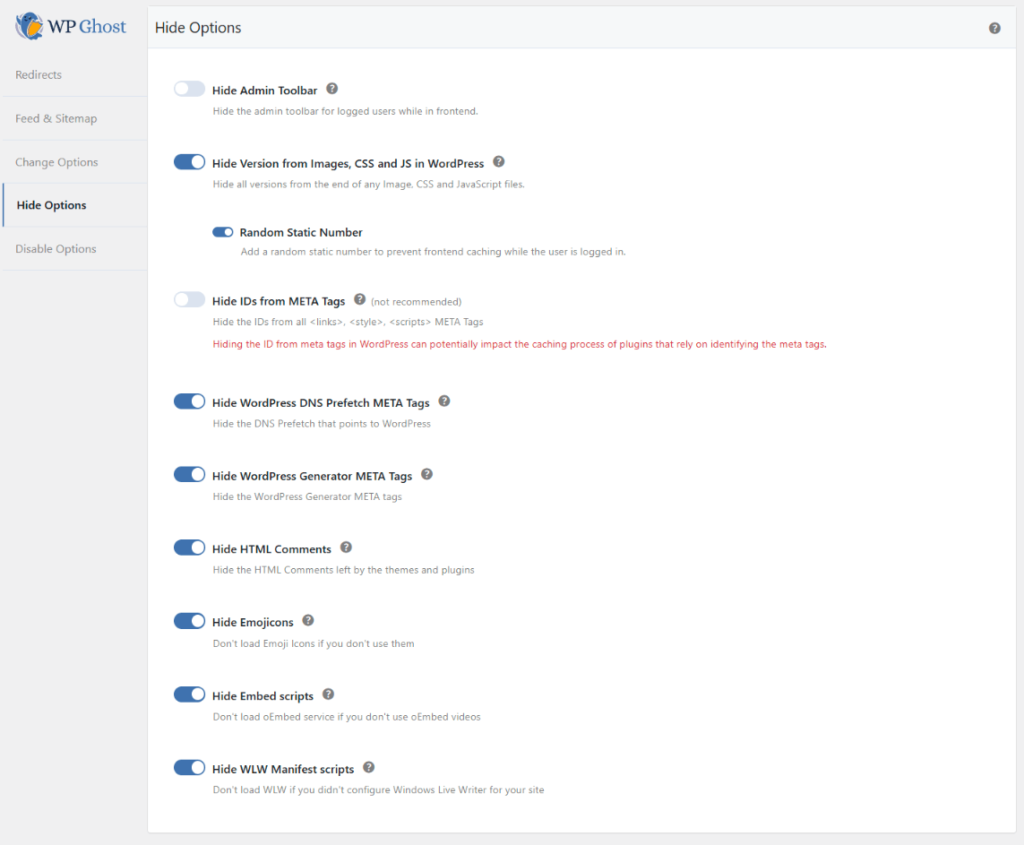
After selecting Lite Mode, you can customize any of the generated path names and save. For additional hardening, go to WP Ghost > Tweaks > Hide Options and enable version hiding, generator META removal, DNS prefetch removal, and HTML comment stripping. See Hide from Theme Detectors for the complete path security checklist.
Safe Mode (Premium)
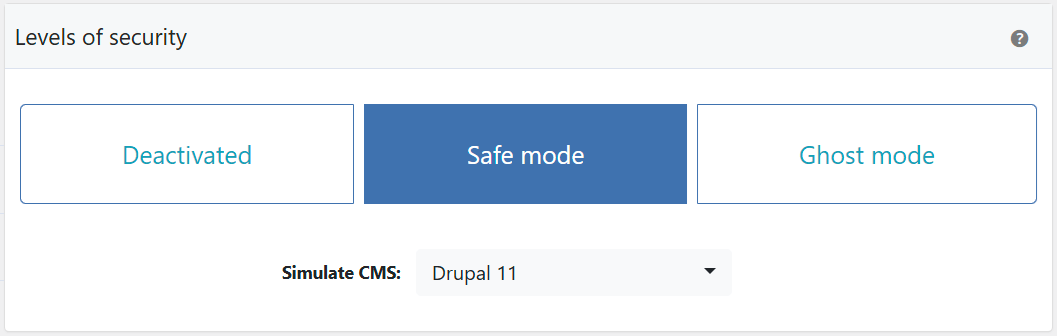
Safe Mode is the default security level for WP Ghost Premium users. It includes everything Lite Mode does plus changes to wp-admin and admin-ajax.php, and it activates Premium-only features like automated IP blocking, country blocking, AI crawler blocking at the firewall level, and the full Events & Threats Log.
Safe Mode is engineered for compatibility. It changes wp-admin and admin-ajax.php using rewrite techniques designed to work with the widest possible range of plugins and themes – including WooCommerce, page builders like Elementor and Divi, membership platforms, and LMS plugins.
Use Safe Mode if you want to: run maximum path security on a site with a complex plugin stack, protect WooCommerce, membership, or LMS sites without compatibility risk, or get Premium protection with the default, battle-tested configuration.
Additional features activated in Safe Mode: automated IP blocking for repeat offenders, country blocking, AI crawler blocking at the firewall level, and the full Events & Threats Log.
Ghost Mode (Premium)
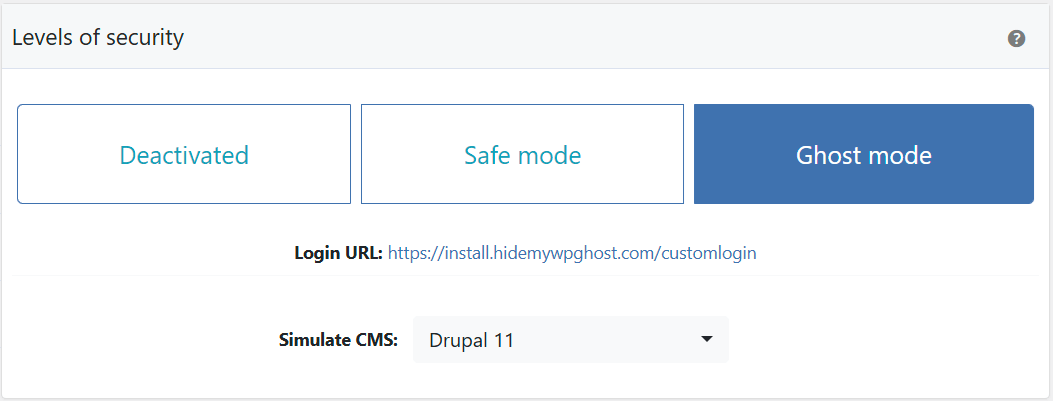
Ghost Mode is the maximum-security configuration in WP Ghost Premium. It includes everything Safe Mode does, plus full file extension hiding (.php, .json, .css, and others), expanded path obfuscation, and the most aggressive fingerprint removal WP Ghost offers.
Paths changed in Ghost Mode: everything in Safe Mode, plus file extensions are hidden across the site so scanners cannot identify technology by URL shape. The result: a site with no detectable WordPress fingerprint, making it invisible to automated vulnerability scanners and targeted bots.
Use Ghost Mode if you want to: run the tightest possible security configuration WP Ghost offers, make your site as unidentifiable as WordPress as technically possible, or test and tune your stack for the maximum hardening posture.
Important: Ghost Mode is designed for users who want maximum path security and are willing to test their plugins and themes after activation. Most sites work with Ghost Mode out of the box, but plugins that hardcode paths (rather than using WordPress functions) may require switching back to Safe Mode. If anything breaks, use the Safe URL parameter or the emergency disable guide to recover instantly.
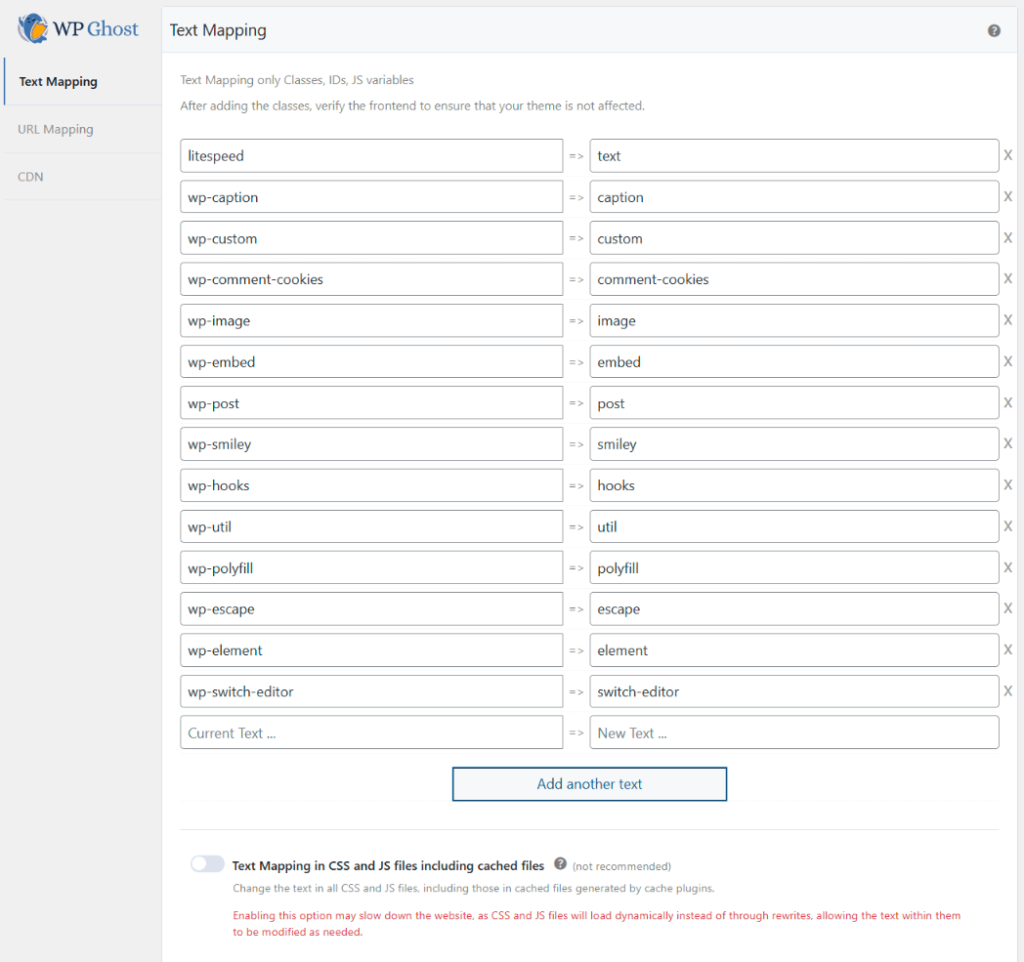
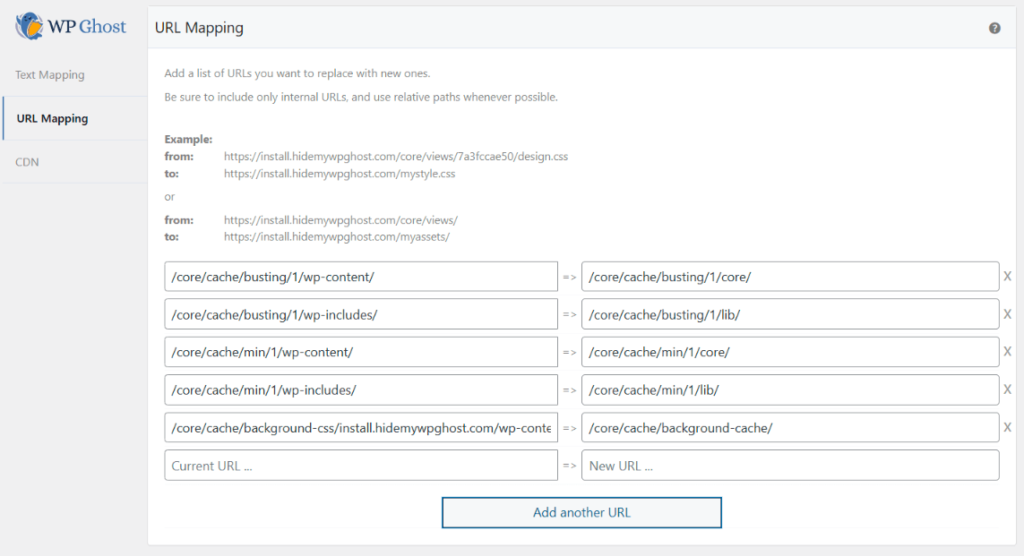
After selecting Ghost Mode, customize the paths and save. Use WP Ghost > Mapping > Text Mapping to replace WordPress class names in the source code, and URL Mapping to replace any remaining URLs that still reveal your WordPress structure.
Side-by-Side Comparison
What each mode changes and which Premium features are activated:
| Feature | Lite Mode | Safe Mode | Ghost Mode |
|---|---|---|---|
| Plan | Free | Premium | Premium |
| wp-login.php path change | ✅ | ✅ | ✅ |
| Plugins & themes path change | ✅ | ✅ | ✅ |
| wp-content & uploads path change | ✅ | ✅ | ✅ |
| wp-includes path change | ✅ | ✅ | ✅ |
| Author path obfuscation | ✅ | ✅ | ✅ |
| wp-comments-post.php path change | ✅ | ✅ | ✅ |
| REST API (wp-json) path change | ✅ | ✅ | ✅ |
| wp-admin path change | ❌ (hidden via 404) | ✅ | ✅ |
| admin-ajax.php path change | ❌ | ✅ | ✅ |
| File extension hiding (.php, .json, .css) | ❌ | Partial | ✅ Full |
| 7G & 8G Firewall | ✅ | ✅ | ✅ |
| Brute force protection + reCAPTCHA | ✅ | ✅ | ✅ |
| 2FA (Code, Email, Passkey) | ✅ | ✅ | ✅ |
| Automated IP blocking | ❌ | ✅ | ✅ |
| Country blocking | ❌ | ✅ | ✅ |
| AI crawler blocking at firewall level | ❌ | ✅ | ✅ |
| Events & Threats Log (full history) | ❌ | ✅ | ✅ |
| Plugin & theme compatibility | Universal | Near-universal | Testing recommended |
| Best for | All sites starting out | Complex stacks, WooCommerce | Hardened standalone sites |
Which Mode Should You Choose
Start with Lite Mode if you’re on the free version, if you want zero compatibility testing, or if you run a complex plugin stack you’re not ready to verify path-by-path. Lite Mode blocks the vast majority of bot reconnaissance without ever touching wp-admin or admin-ajax.php.
Choose Safe Mode if you’re on WP Ghost Premium and want maximum compatibility. Safe Mode is the recommended default for Premium users – it extends path coverage to wp-admin and admin-ajax.php using rewrite techniques tested against 1,000+ plugins and themes, and activates the full Premium feature set. This is the right fit for WooCommerce stores, membership sites, and LMS platforms.
Move to Ghost Mode if you want the tightest possible configuration and are willing to run a short compatibility test. Ghost Mode hides file extensions and removes the most fingerprinting signals WP Ghost offers. If any plugin hardcodes a path, you can switch back to Safe Mode instantly without losing settings.
The recommended path: Free users start with Lite Mode. Premium users start with Safe Mode (the default). Only move to Ghost Mode after verifying your plugins and themes work correctly with it. You don’t lose any configuration when switching between modes – only the security level and which paths are changed.
For a one-click setup instead of manual configuration, see Preset Security Options which includes tested presets for all three modes.
How to Switch Between Modes
From your WordPress dashboard, go to WP Ghost > Change Paths > Level of Security. Select your preferred mode and click Save. Your custom path names are preserved when switching modes – only the extent of path changes and which Premium features are auto-activated is affected.
If you switch to Ghost Mode and experience issues with a specific plugin, switch back to Safe Mode from the same screen. No data is lost; all your path customizations remain in place. If you ever lock yourself out, use the Rollback Settings guide to recover access immediately.
Frequently Asked Questions
Is Lite Mode free?
Yes. Lite Mode is the entry-level security configuration included in WP Ghost Free. It changes the most commonly targeted WordPress paths, wp-login.php, plugin folders, theme folders, uploads, and core directories, without touching wp-admin or admin-ajax.php, making it compatible with virtually every plugin and theme.
Is Safe Mode free?
No. Safe Mode is a WP Ghost Premium feature. It extends Lite Mode’s path coverage to wp-admin and admin-ajax.php and activates the advanced Premium features: automated IP blocking, country blocking, AI crawler blocking, and full security logs.
Is Ghost Mode free?
No. Ghost Mode is a WP Ghost Premium feature. It applies WP Ghost’s maximum security configuration, including full file extension hiding and the most aggressive fingerprint removal available.
What’s the difference between Safe Mode and Ghost Mode?
Both are Premium. Safe Mode prioritizes compatibility with the widest range of plugins and themes and is the default Premium configuration. Ghost Mode prioritizes maximum security coverage, it hides file extensions, removes more fingerprinting signals, and requires brief compatibility testing on complex stacks.
Which mode should I start with?
Free users: Lite Mode. Premium users: run WP Ghost in Safe Mode for maximum plugin compatibility alongside Wordfence. See Lite Mode vs Safe Mode vs Ghost Mode for the full mode comparison.
Can I switch modes later?
Yes. Switch anytime from WP Ghost > Change Paths > Level of Security. Your custom path names are preserved. Switching modes changes which paths are affected and which features are auto-activated, but no settings are lost.
Does switching modes break my site?
Lite Mode is universally compatible. Safe Mode is near-universally compatible (tested against 1,000+ plugins and themes). Ghost Mode may require compatibility testing with plugins that hardcode wp-admin or admin-ajax.php paths if you hit an issue, switch back to Safe Mode instantly from the same settings screen.
Do any modes modify WordPress core files?
No. None of the three modes modifies WordPress core files. All path changes are handled through server rewrite rules (.htaccess on Apache, config blocks on Nginx) and WordPress hooks. Deactivating WP Ghost removes all rules and restores default WordPress behavior instantly.
Does Ghost Mode work with WooCommerce?
Yes, but test after activating. WooCommerce’s cart, checkout, and AJAX-powered features work with Ghost Mode in most setups. If you run a complex WooCommerce stack with many extensions, we recommend Safe Mode – it’s engineered specifically for compatibility with ecommerce plugin ecosystems. WP Ghost is designed for WooCommerce compatibility.
Can I use WP Ghost with other security plugins?
Yes. WP Ghost works alongside Wordfence, Sucuri, Solid Security, and other security plugins. They handle different protection layers. WP Ghost focuses on proactive hack prevention by reducing the attack surface through path security and firewall rules, while other plugins typically handle reactive malware scanning and cleanup.
Related Tutorials
Configure and customize your security level:
- Customize Paths with WP Ghost – Step-by-step guide to changing all WordPress paths.
- Preset Security Options – One-click configurations for Lite, Safe, and Ghost Mode.
- Hide from Theme Detectors – Complete checklist for passing all detection tools.
- Text Mapping – Replace WordPress class names in the source code.
- Rollback Settings – Recover access if Ghost Mode causes compatibility issues.
- Compatibility Plugins List – Known compatibility notes for specific plugins and themes.