
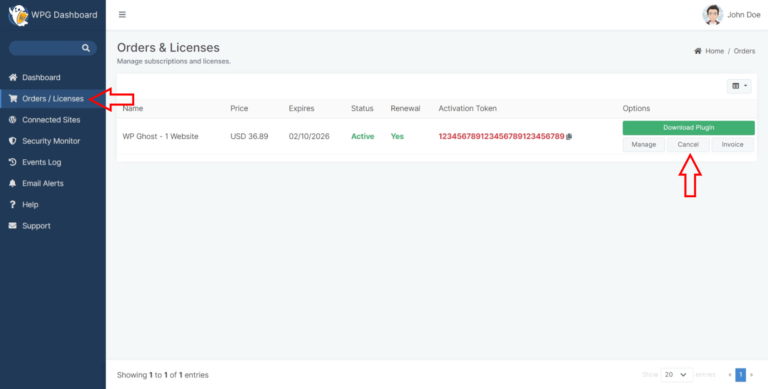
You can cancel your WP Ghost Premium subscription directly from the WP Ghost Dashboard. Cancellation stops future billing but your premium features continue working until the current subscription period ends. The plugin stays installed and operational after expiration at the last version available before your subscription ended. You can reactivate at any time.
How to Cancel Your Subscription
- Log in to your WP Ghost Dashboard with the email address associated with your subscription.
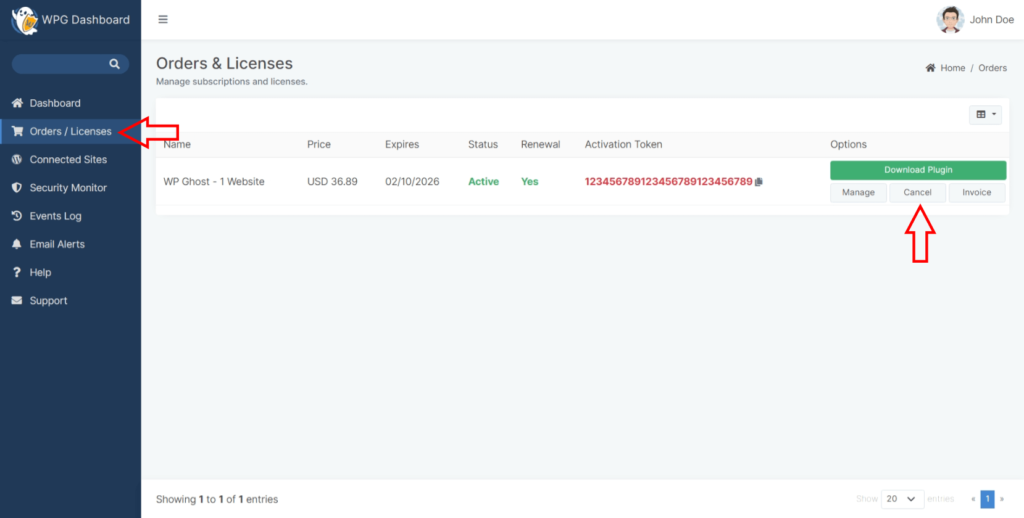
- Go to the Orders/Licenses section.
- Find the subscription you want to cancel.
- You’ll be redirected to Paddle (WP Ghost’s payment platform). Follow the instructions on the Paddle page to complete the cancellation.

What Happens After Cancellation
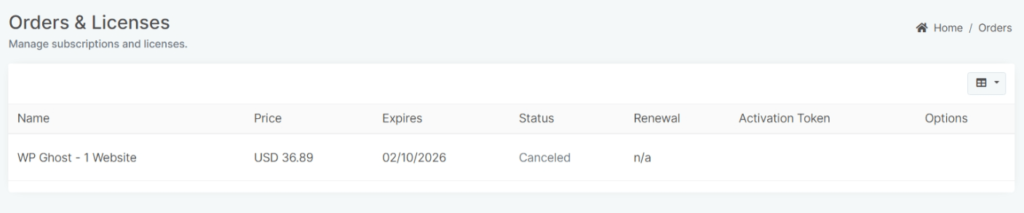
Canceling stops future automatic billing. Here is what does and doesn’t change:
During the remaining subscription period: All premium features continue working normally. You retain full access to WP Ghost Premium until the current period ends.
After the subscription expires: The WP Ghost plugin remains installed and operational on your website at the last version that was available before expiration. Your site’s security settings stay in place. You lose access to future updates and priority support, but the plugin does not deactivate or remove its protections.
WP Ghost does not disable your security after cancellation. The plugin continues working at the last installed version. Your custom paths, firewall rules, brute force protection, and all other settings remain active. Cancellation only stops future billing and access to new updates.
Reactivating Your Subscription
You can reactivate your subscription at any time to resume receiving updates and support. Log in to your WP Ghost Dashboard using the same email address from your previous subscription. WP Ghost recognizes your account and extends your subscription for another year starting from the new payment date.
Frequently Asked Questions
Will canceling break my website?
No. Canceling your subscription stops future billing only. The WP Ghost plugin continues working on your site with all security settings intact. Your website is never disrupted by a subscription cancellation.
Does cancellation take effect immediately?
Cancellation stops the next renewal. You keep premium access for the remainder of your current billing period. For example, if you cancel 3 months into a yearly subscription, you still have 9 months of premium access remaining.
Can I get a refund?
WP Ghost uses Paddle as its payment platform. Refund policies are handled through Paddle. Contact WP Ghost support if you need assistance with a refund request.
Can I reactivate later with the same account?
Yes. Log in with the same email address and purchase a new subscription. WP Ghost recognizes your account and your connected sites remain associated with it.
Does WP Ghost modify WordPress core files?
No. WP Ghost uses rewrite rules and WordPress hooks. No core files are modified. Canceling or expiring a subscription does not change any files on your WordPress site.
Related Tutorials
WP Ghost account and license management:
- Disconnect a Website – Remove a site from your license without canceling.