
Protect your WordPress website with a layered security approach: secure hosting, proactive hack prevention, regular updates, and reliable backups. The main vulnerability in WordPress isn’t the core itself – it’s the plugins and themes. Many are built without security expertise, creating entry points that automated bots exploit through default WordPress paths. WP Ghost reduces the attack surface by changing these paths, blocking malicious requests with firewall rules, and enforcing login security with 2FA and reCAPTCHA. Combined with secure hosting and regular updates, your WordPress site becomes a difficult target for automated attacks.
Why WordPress Sites Are Targeted

WordPress powers 43% of all websites, making it the most targeted CMS in the world. But the real problem isn’t WordPress core – it’s the ecosystem. Thousands of plugins and themes are built by developers with varying levels of security knowledge. Some plugins ship with SQL injection vulnerabilities, file upload flaws, or improperly secured AJAX endpoints. Since you can’t guarantee that every plugin you install is secure, or that an update won’t introduce a new vulnerability, the best strategy is to prevent bots from finding and exploiting these entry points in the first place.

The Four Layers of WordPress Security
Effective WordPress security isn’t a single plugin or a single action. It’s four layers working together. Each layer addresses a different risk, and all four are needed for comprehensive protection.
Secure Hosting
Your hosting provider is the foundation. A secure host provides server-level firewalls, malware scanning, automatic security patches, SSL certificates, and process isolation between accounts on shared servers.

WordPress-dedicated hosting companies like WP Engine, InMotion, and Cloudways offer managed security with automatic updates, server hardening, and daily backups included.
Choose a plan with daily backups. If your site is ever compromised, a recent backup is the fastest way to recover. Most managed WordPress hosts include daily backups, but verify this before signing up.
Hack Prevention with WP Ghost
Your hosting secures the server. WP Ghost secures the WordPress application running on it. WP Ghost changes every default WordPress path so bots can’t identify your site as WordPress, blocks injection attacks through firewall rules, enforces login security with 2FA and reCAPTCHA, and monitors threats through security logging.
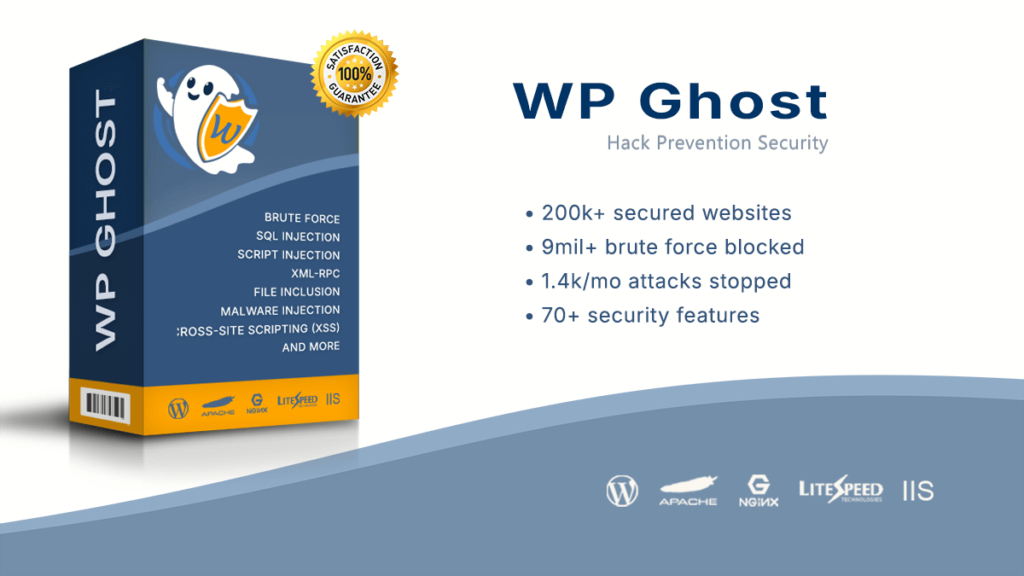
WP Ghost reduced spam, SQL injection, script injection, and brute force attacks by up to 99% on properly configured sites. It works alongside other security plugins like Wordfence, Solid Security, and Shield Security – you don’t need to choose between them. WP Ghost handles prevention (blocking attacks at the door), while other plugins handle detection and response (scanning for malware, monitoring activity).
Keep Everything Updated
WordPress core, plugins, and themes all receive security patches through updates. An outdated plugin with a known vulnerability is the most common entry point for attacks. WP Ghost reduces the risk by making vulnerable paths inaccessible to bots, but updates close the actual security holes. Enable automatic updates where possible, and review your plugins list regularly. Remove any plugins you’re not actively using – even deactivated plugins can be exploited if their files remain on the server.
Regular Backups
No security setup is 100% guaranteed. Regular backups ensure that even if something goes wrong – a hack, a failed update, or a configuration error – you can restore your site to a clean state quickly. Your hosting provider should offer daily backups, but also maintain your own independent backups using a plugin or offsite service. Store backups in a location separate from your web server (cloud storage, local drive).
How WP Ghost Protects Your Site
WP Ghost is a proactive hack prevention plugin that stops attacks before they reach your vulnerable plugins and themes. It provides multiple protection layers:
Path Security – changes every default WordPress path (wp-login, wp-admin, wp-content, wp-includes, plugins, themes) so bots scanning for standard WordPress structure find nothing.
Firewall Protection – 7G and 8G firewall rules block SQL injection, script injection, file inclusion, and directory traversal attacks at the request level.
Brute Force Protection – login attempt limits with Math reCAPTCHA, Google V2, V3, or Enterprise stop automated password guessing.
Two-Factor Authentication – Code, Email, and Passkey (Face ID, Touch ID, Windows Hello) verification ensures a stolen password isn’t enough.
Security Headers – HSTS, CSP, X-Frame-Options, and other headers protect against clickjacking, MIME attacks, and script injection.
Threat Monitoring – Security Threats Log and User Events Log track both external attacks and internal user activity (Premium).
Getting Started
Ready to protect your WordPress site? Follow these steps:
- Customize your WordPress paths in Lite Mode or Ghost Mode.
- Activate brute force protection on your login page.
- Verify your site passes theme detectors.
- Run a Security Check to confirm your configuration.
For the complete feature overview, see Prevent Hack Attacks on WordPress. For one-click setup, use Preset Security Options.
Frequently Asked Questions
Is WP Ghost enough to protect my website?
WP Ghost is the most important layer for prevention – it stops bots before they can find and exploit vulnerabilities. For the strongest protection, combine it with secure hosting, regular updates, strong passwords, and backups. WP Ghost works alongside other security plugins like Wordfence and Solid Security for comprehensive coverage.
Is the plugin free?
Yes. WP Ghost Free includes path security, firewall, brute force protection, 2FA, security headers, and 115+ hardening features. Premium adds the Events Log, Threats Log, geo blocking, extended file extension security, and priority support.
Does this work with WooCommerce?
Yes. WP Ghost is fully compatible with WooCommerce. Cart, checkout, product pages, and customer accounts all work normally with all protection features enabled.
Does WP Ghost modify WordPress core files?
No. All path security features work through server rewrite rules and WordPress hooks. No files are moved, renamed, or modified. Deactivating WP Ghost restores all defaults instantly.
Related Tutorials
Start securing your WordPress site:
- Prevent Hack Attacks on WordPress – The complete WP Ghost security overview.
- Hacker Bots Attack Types – Understand the attacks WP Ghost blocks.
- What is WP Ghost? – Full product overview.
- WP Ghost Settings Best Practice – Video guide for optimal configuration.