Path security, 8G firewall, brute force protection, 2FA, security headers, and country blocking. Explore every WP Ghost feature for proactive WordPress security.

WP Ghost Security Features for WordPress Protection
Read More →

Path security, 8G firewall, brute force protection, 2FA, security headers, and country blocking. Explore every WP Ghost feature for proactive WordPress security.

Control whether WP Ghost applies custom paths to logged-in users or only visitors. Maintain page builder compatibility while keeping your site protected from bots.
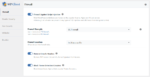
Enable the 8G Firewall in WP Ghost to block SQL injection, script injection, and exploit attempts at the server level before WordPress loads. Jeff Starr’s latest.

In just 3 minutes, you can learn how to set up WP Ghost in Ghost Mode and activate all the security features you need for a stronger and safer website.

Add HSTS, Content-Security-Policy, X-Frame-Options, and other HTTP security headers to WordPress with one toggle in WP Ghost. Prevent XSS and clickjacking attacks.

Scan your WordPress site for 39 security issues: outdated software, exposed paths, debug leaks, weak permissions, and more. Free built-in scanner with fix instructions.

In this video, we’ll explore why website security matters and what can happen if it’s ignored. Learn how securing your site protects sensitive data and keeps your website running smoothly. https://youtu.be/6ylhojSi-_E

The security of your WordPress site depends on multiple factors, such as the strength of your passwords, the use of security plugins, and regular updating of your software.