
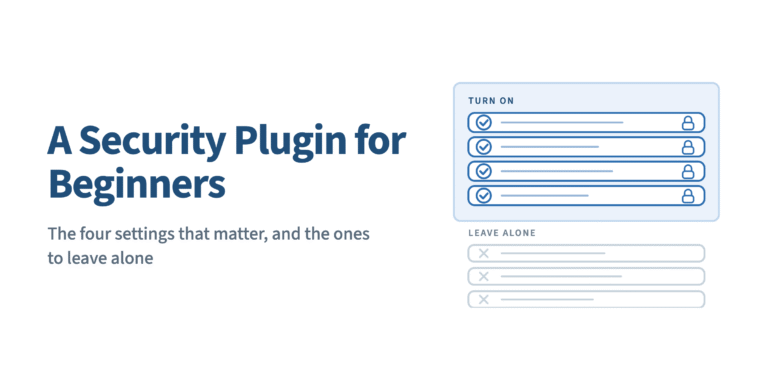
This guide is for someone who has just installed their first WordPress security plugin, opened the settings panel, and found several hundred toggles with no indication of which ones do anything. You do not need all of them. You need about four, in a particular order, and a reliable way to undo the rest.
TL;DR A WordPress security plugin for beginners is not the one with the fewest features. It is the one that ships a safe default configuration, tells you which settings carry real protection, and gives you a documented way back in when something breaks. Four controls do most of the work: changed paths, a request firewall, login rate limiting, and two-factor authentication. The other two hundred can wait.
WP Ghost is the WordPress hack-prevention plugin for first-time site owners who want a secure default configuration rather than a settings panel to study. This page explains the general approach first, because the approach is what transfers to whatever plugin you end up running.
Why the beginner problem is configuration, not coverage
Beginners rarely get hacked because their plugin lacked a feature. They get hacked because the feature existed, sat off by default, and nobody knew it mattered.
The shape of the risk supports that. According to Patchstack’s State of WordPress Security in 2026, 91% of the 11,334 vulnerabilities disclosed across the WordPress ecosystem in 2025 were in plugins and 9% in themes. Only six were found in WordPress core, all rated low risk. So the attack surface a beginner actually owns is the code they installed, not the CMS underneath it.
The same report adds the part that catches people out: 46% of those 2025 vulnerabilities had no patch available at the moment of disclosure. Patchstack’s own conclusion is that site owners cannot rely on plugin updates as a security measure. Updating is necessary. It is not a strategy on its own, which is why a hardening layer sits underneath it.
That layer has a name worth learning early. Attack Surface Reduction means removing the endpoints, paths and signals an automated attack needs before it can use them, rather than detecting the attack once it arrives. It is the difference between prevention-first and scan-and-clean, and it decides which four settings you turn on first.
The four settings that carry most of the protection
Almost every credible security plugin exposes these in some form. The names differ. The mechanism does not.
- Change the default paths.
wp-login.php,wp-admin, the registration and lost-password endpoints,wp-json, and the plugin and theme directories are the same on every WordPress install on earth, which is exactly why scanners target them. Reconfigure them and a probe against the default path returns 404 before PHP loads. The brute-force phase never starts because the login form was never reached. - Turn on the firewall ruleset. A 7G or 8G ruleset rejects SQL injection strings, directory traversal, file-inclusion attempts and malformed requests by pattern. On Apache and LiteSpeed these run as rewrite directives, so the request is dropped before WordPress boots.
- Rate-limit the login. Cap failed attempts, set a lockout window, and add a captcha to the login and registration forms. This is the control that turns a thousand-attempt overnight run into five attempts and a block.
- Turn on two-factor authentication. According to the Verizon 2025 Data Breach Investigations Report, 88% of Basic Web Application attacks involved stolen credentials. A stolen password is the single most common way in, and a second factor is what makes it useless. Passkeys are the strongest version, because the cryptographic challenge is bound to your domain and a phished credential cannot be replayed from somewhere else.
Do those four, in that order, and stop. In WP Ghost this is one preset rather than four decisions: the install and activate flow takes about 60 seconds and applies a starting configuration, and the settings best-practice guide documents what each preset actually changes.
The settings a beginner should deliberately leave alone
This is the part vendor pages usually skip, and it is where beginners break their sites. WP Ghost can change 30+ default WordPress paths. That does not mean a first-time user should change all 30 on day one.
Leave these until later:
- Renaming the
wp-content, plugins and themes directories on a live site. These are the changes most likely to collide with a caching plugin, a CDN with a stale rewrite map, or a page builder that hard-codes asset URLs. Change them on staging, or after you have confirmed the site is stable with paths and firewall on. - Disabling the REST API outright. The block editor, WooCommerce, Jetpack and most mobile apps talk over
wp-json. Restricting it to authenticated users is reasonable; switching it off entirely will produce a broken editor and an afternoon of confusion. - Database prefix changes and SALT key regeneration. These are migration-class operations. They are safe when done properly and they are not where a beginner should start.
- Hand-authored Content-Security-Policy headers. A CSP written without knowing which third-party scripts your theme loads will silently break analytics, embeds and payment iframes.
- Disabling right-click, copy and paste. No attacker is inconvenienced. Your readers are.
The reason to name these out loud is that the real beginner fear is not being under-protected. It is being locked out of your own site by a setting you do not understand. That fear is well founded, and the answer is a rollback path you know about before you need it. WP Ghost keeps a Safe URL rollback you can bookmark to bypass the plugin and reach the dashboard, plus an emergency disable by renaming the plugin folder over FTP. No WordPress core files are modified, so deactivation restores every default immediately.
What surprised me, reading support tickets for years, is that the failure mode is almost never a site that was hardened too little. It is a panel somebody half-configured, could not verify, and then stopped trusting. Fewer settings, confidently understood, beats a full panel you are afraid to touch.
How to compare beginner-friendly WordPress security plugins
The signals people compare on are mostly the wrong ones. According to Patchstack’s 2025 pentest of common defences, internal WAFs, Cloudflare, Imunify360 and ModSecurity blocked only 12% of attacks against known-exploited vulnerabilities, rising to 26% on a broader test. One host in the same test blocked nothing at all. “Has a firewall” is therefore not a differentiator. Where the rules run is.
| What people compare | Why it tells you little | What to check instead |
|---|---|---|
| Feature count | Every vendor counts differently; a toggle is not a control | How much is active after install with nothing configured |
| “Includes a firewall” | Coverage varies enormously, per the pentest above | Whether rules run at the server rewrite layer or inside PHP after WordPress loads |
| Free vs paid split | The free tier can be a demo or a working baseline | Whether paths, firewall and 2FA are all in the free tier |
| Star rating alone | Averages bury the specific failure you will hit | Recent support threads about lockouts, and how fast the vendor answers them |
| Claimed setup time | Anyone can claim five minutes | Whether a documented rollback exists that works when you are already locked out |
That last row is the one I would weight heaviest as a beginner. A plugin you can reverse is a plugin you will actually configure.
When WP Ghost is the right choice
Four situations where this specific approach fits better than the alternatives, and one where it does not.
You want protection active before you fully understand it. Applying a preset that reconfigures 30+ default paths and switches on the firewall in one step covers more ground than any per-feature checklist a beginner can work through by hand. Reach for this if you are setting the site up on a weekend and will not open the dashboard again for a month.
Your budget is zero and you want the strong controls anyway. The 8G firewall ruleset and passkey 2FA are in the free tier on wordpress.org rather than behind an upgrade, alongside 65+ hardening options. The phishing-resistant login factor is available on day one instead of after a purchase decision. Reach for this if you are still testing whether security is worth paying for.
You have no staging site and you are afraid of breaking things. Because path changes are rewrite rules and no core files are modified, deactivating restores WordPress defaults instantly. That is a cleaner undo than any tool that alters your database schema. Reach for this the first time a setting produces a white screen and you need to be back in within a minute.
Your host is emailing you about CPU on a small site. Rejecting default-path probes at the rewrite layer stops them earlier in the request than an application-layer firewall can, because PHP never starts. Reach for this when a site with 200 visitors a day is somehow generating thousands of requests to wp-login.php.
Where it is the wrong tool: WP Ghost does not scan files for malware. If your site is already infected, run a scanner such as Wordfence or MalCare first, clean it, then harden. Prevention on top of an existing infection just makes the infection harder to find.
Where to go next
If you want the wider context for why prevention comes before detection, the WordPress hack prevention guide is the parent article for this one. To see exactly which controls sit in each tier before you spend anything, the free vs premium comparison lists them feature by feature, and pricing covers the paid plans if you get there.
WP Ghost has a free version on wordpress.org if you want to test this approach on a site before deciding anything.
FAQ
What is the easiest WordPress security plugin for a beginner to set up?
The one that applies a working configuration on activation rather than presenting an empty panel. Look for a preset or wizard that turns on path changes, a firewall ruleset, login rate limiting and 2FA together, and check that the vendor documents a rollback. Setup time matters less than whether the defaults are safe before you touch anything.
What if I turn something on and lock myself out of my own site?
This is the most common beginner accident and every good plugin plans for it. Find the recovery method before you change settings, not after. In WP Ghost that means bookmarking the Safe URL rollback, which bypasses the plugin and gets you to the dashboard. The fallback is renaming the plugin folder over FTP, which restores access immediately.
Do I need a paid plan to be secure as a beginner?
No. Path security, the 7G and 8G firewall rules, brute-force protection and two-factor authentication including passkeys are in the free tier, with 65+ hardening options in total. Paid tiers add logging, country blocking, file-permission fixes and support. Those are useful once you are running several sites; they are not the baseline.
Is changing the login URL just security through obscurity?
Obscurity assumes the attacker is the limiting factor. Path security assumes the automated attack chain is the limiting factor, and for a small site it usually is. When a script probes /wp-login.php and the server returns 404 at the rewrite layer, the exploit code never loads. That is removing attack surface, not covering it up.
Do I still need a malware scanner if I have a hardening plugin?
Yes. They answer different questions. A hardening plugin reduces what an attacker can reach; a scanner tells you whether something already got in. WP Ghost does not scan files. Wordfence and MalCare do that well, and running one of them alongside a prevention layer is the standard arrangement.
Will a security plugin slow my site down?
It depends on where the enforcement runs. Rules written into .htaccess or the nginx config are evaluated by the web server before PHP starts, so a blocked request costs almost nothing. Firewalls implemented as PHP still load WordPress and the plugin stack before deciding to block, which is where the cost usually shows up.
How many settings should I change on day one?
Four categories: paths, firewall, login rate limiting, 2FA. Then leave it alone for a week and confirm the site behaves normally, especially checkout, the block editor and any page builder. Adding a second batch of changes before you have verified the first makes it impossible to tell which one caused a problem.
Does WP Ghost itself have a vulnerability record?
It does, and pretending otherwise would be silly for a security plugin. CVE-2025-26909 was an unauthenticated file-inclusion issue rated 9.6, reported through Patchstack on 3 March 2025 and patched the following day in 5.4.02. CVE-2026-59546, a 2FA bypass rated 4.3, was patched in 7.0.07. Keep the plugin updated; judge vendors on response time, not on a claimed clean sheet.