
Enable .htaccess support in OpenLiteSpeed by setting “Auto Load from .htaccess” to Yes in the WebAdmin Console, then restart the server. OpenLiteSpeed (OLS) supports Apache-style .htaccess files, making it a popular drop-in replacement for Apache on WordPress sites. However, OLS only supports mod_rewrite directives from .htaccess – it ignores other Apache directives like <Files>, <IfModule>, and Order allow,deny. This guide shows the official method for enabling .htaccess at both the server level and the virtual host level. Information verified against the official OpenLiteSpeed documentation.
What OpenLiteSpeed Supports from .htaccess
Before enabling .htaccess support, it’s important to know what OLS will and won’t process. Unlike Apache, OpenLiteSpeed processes only mod_rewrite directives from .htaccess files. Other common Apache directives are bypassed entirely.
Supported:
RewriteEngineRewriteRuleRewriteCondRewriteBase(in .htaccess only, not in vhost configs)
Not supported (silently bypassed):
<Files>and<FilesMatch>directives<IfModule>blocksOrder allow,deny/Deny from allOptions -Indexesand similar Options directivesAuthType,AuthName, and authentication directives
Workaround for unsupported directives: Convert file restrictions and access control rules to mod_rewrite syntax. For example, instead of <Files readme.html>Deny from all</Files>, use RewriteRule ^/?readme\.html$ - [F,L]. The result is the same – a 403 Forbidden response.
Enable .htaccess at the Server Level
Enabling .htaccess at the server level applies the setting to all virtual hosts on the OpenLiteSpeed server.
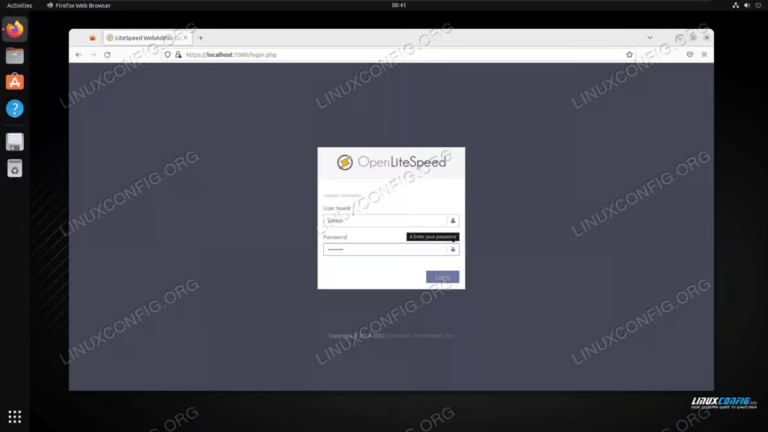
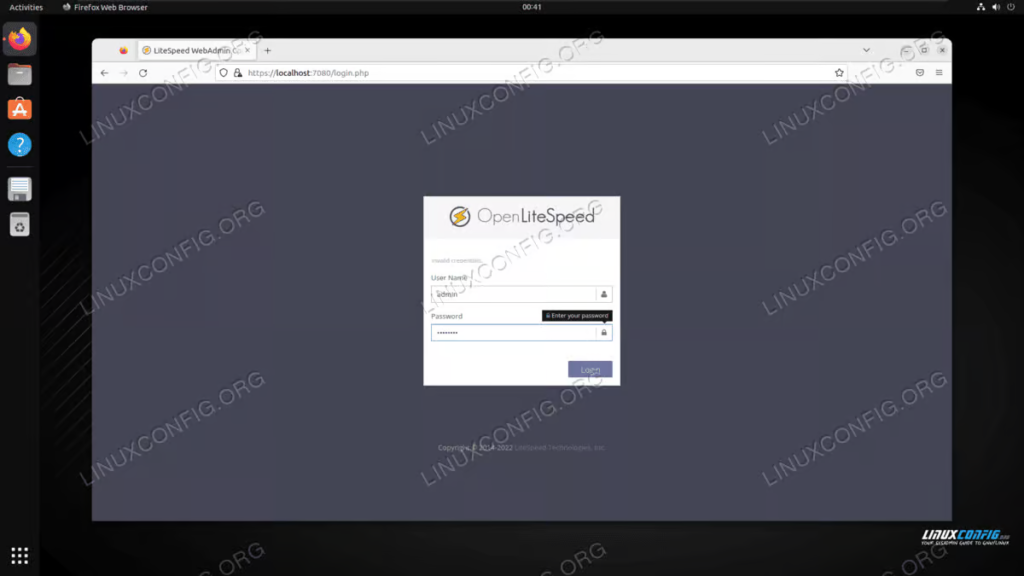
- Open the OpenLiteSpeed WebAdmin Console at
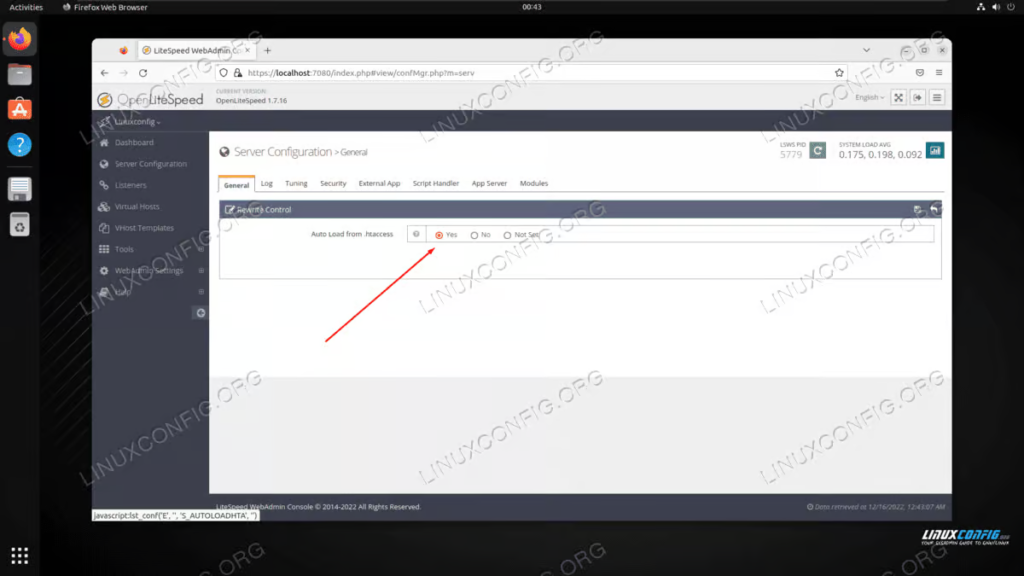
https://your-server-ip:7080and log in with your administrator credentials. - Set Auto Load from .htaccess to Yes.
- Save the changes.
Enable .htaccess for a Specific Virtual Host
If you only want .htaccess support for one site instead of the entire server, configure it at the virtual host level.
- In the WebAdmin Console, go to Virtual Hosts and select your virtual host.
- Click the Rewrite tab.
- Set Enable Rewrite to Yes.
- Set Auto Load from .htaccess to Yes.
- Save the changes.

Subdirectories are automatic. Since OpenLiteSpeed v1.5.4, .htaccess files in subdirectories are automatically loaded once the setting is enabled at the virtual host level. You don’t need to configure each subdirectory individually. Older OLS versions required explicit subdirectory configuration.
Restart OpenLiteSpeed
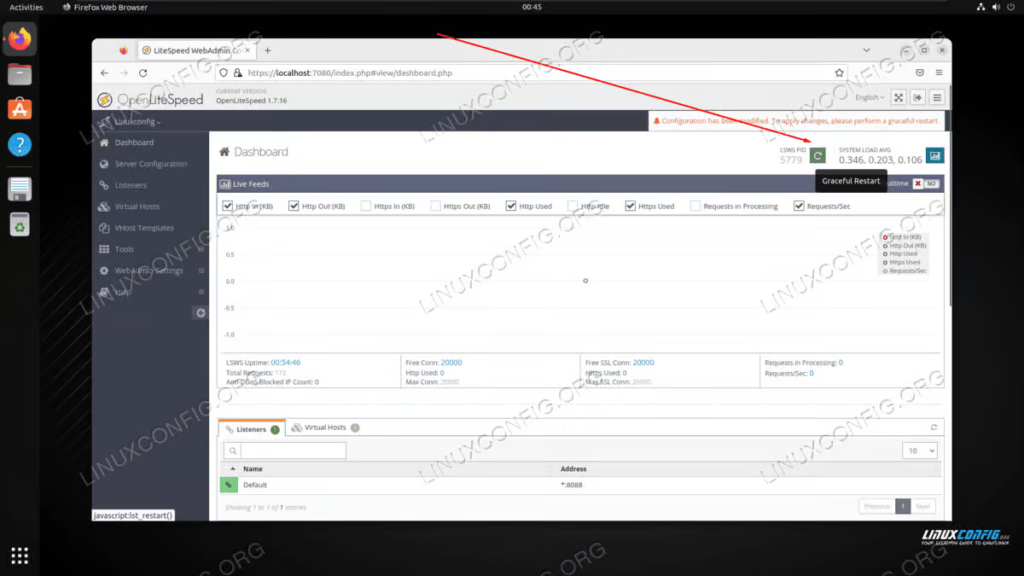
OpenLiteSpeed must be restarted for the .htaccess setting and any rewrite rule changes to take effect. Use a graceful restart to avoid downtime:
sudo /usr/local/lsws/bin/lswsctrl restartYou can also restart from the WebAdmin Console by clicking the Graceful Restart button in the top navigation bar.
Important: OLS loads .htaccess rules at server startup. Any time you modify the .htaccess file via FTP or SSH, you must restart OpenLiteSpeed for the changes to take effect. Some control panels (like DirectAdmin) automatically restart OLS when .htaccess is edited through their File Manager, but FTP/SSH edits require a manual restart.
Why This Matters for WP Ghost
WP Ghost writes its rewrite rules to .htaccess on Apache, LiteSpeed, and OpenLiteSpeed servers. If your OpenLiteSpeed server doesn’t have Auto Load from .htaccess enabled, WP Ghost’s rules won’t be applied even though the file is created. The result: hidden paths appear to be saved in WP Ghost settings, but the actual URL rewrites don’t work and your custom paths return 404.
Before installing WP Ghost on OpenLiteSpeed:
- Enable Auto Load from .htaccess at the virtual host level (recommended) or server level.
- Set Enable Rewrite to Yes on your virtual host.
- Restart OpenLiteSpeed after installing or configuring WP Ghost.
If your hosting provider uses OpenLiteSpeed with a control panel (CyberPanel, DirectAdmin) that doesn’t give you access to the WebAdmin Console, contact your host to enable .htaccess support. Most managed OpenLiteSpeed hosts have this enabled by default.
Troubleshooting
Rewrite rules in .htaccess are ignored after editing
OpenLiteSpeed only loads .htaccess rules at startup. Restart OLS with sudo /usr/local/lsws/bin/lswsctrl restart after any .htaccess change. If you’re editing .htaccess frequently via FTP, set up a cron job that detects changes and restarts OLS automatically.
Error log shows “Invalid rewrite directive”
Check /usr/local/lsws/logs/error.log for the specific directive being rejected. OLS only supports mod_rewrite directives from .htaccess. If you see errors like Invalid rewrite directive: Order allow,deny or Rewrite directive: <IfModule> bypassed, those directives need to be converted to mod_rewrite syntax (see the workaround note in the supported directives section).
WP Ghost paths return 404 errors
This usually means rewrite rules aren’t being processed. Verify that Enable Rewrite is set to Yes on your virtual host, Auto Load from .htaccess is enabled, and OLS has been restarted since saving the WP Ghost settings. If the issue persists, see the Emergency Disable guide to regain access.
Cannot access WebAdmin Console at port 7080
Make sure port 7080 is open in your firewall. On Ubuntu: sudo ufw allow 7080. On CentOS: sudo firewall-cmd --add-port=7080/tcp --permanent && sudo firewall-cmd --reload. If you’re using a hosting control panel, the WebAdmin Console may not be accessible to end users – contact your host.
Frequently Asked Questions
Is OpenLiteSpeed .htaccess support the same as Apache?
Partially. OLS supports Apache mod_rewrite syntax but not other Apache directives. Apache loads .htaccess on every request, but OLS loads .htaccess only at server startup, which means you must restart OLS after any .htaccess change. The performance benefit of OLS comes from this approach – it processes rewrite rules in memory instead of reading the file on every request.
Should I enable at server level or virtual host level?
Virtual host level is recommended for most setups. It gives you per-site control and matches how most Apache configurations work. Use server level only if you want every site on the server to support .htaccess automatically.
I use CyberPanel. Is .htaccess already enabled?
CyberPanel uses OpenLiteSpeed by default and typically has .htaccess support enabled out of the box. If WP Ghost isn’t applying rules correctly, check your virtual host’s Rewrite settings or contact CyberPanel support.
Does WP Ghost work on OpenLiteSpeed?
Yes. WP Ghost works on OpenLiteSpeed once .htaccess support is enabled. WP Ghost writes rewrite rules in standard mod_rewrite format, which OLS supports. After enabling .htaccess and saving WP Ghost settings, restart OpenLiteSpeed to apply the rules.
Related Tutorials
Server configuration for WP Ghost:
- Setup WP Ghost on Nginx Server – Configure WP Ghost on Nginx servers.
- Set AllowOverride All on Apache – The Apache equivalent for enabling .htaccess processing.
- Server Types – All server types supported by WP Ghost.
- Install WP Ghost – Initial WP Ghost installation guide.
- Emergency Disable – Recovery if rewrite rules cause issues.