
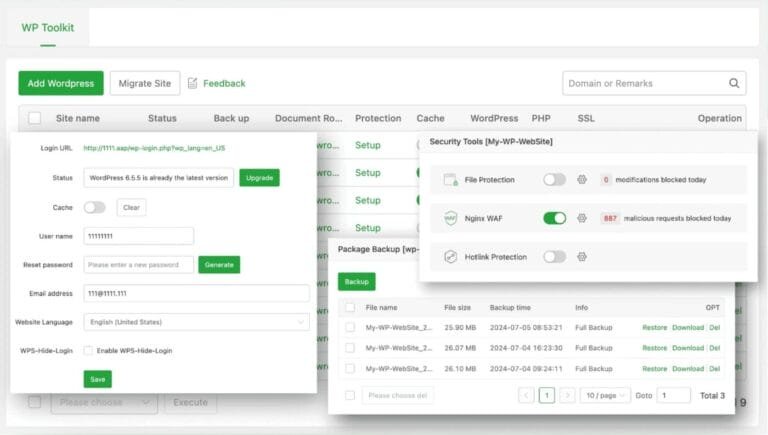
WP Ghost works on aaPanel Multi-WebServer hosting (Nginx + OpenLiteSpeed) with a one-time script fix. In aaPanel’s Multi-WebServer setup, Nginx sits in front as a reverse proxy and OpenLiteSpeed (OLS) handles PHP. The problem: Nginx intercepts static file requests (CSS, JS, images, fonts) and tries to serve them directly from disk. When WP Ghost changes these paths, the files don’t exist at the new locations on disk, so Nginx returns 404 instead of passing the request to OLS where the rewrite rules apply. A provided script fixes this by telling Nginx to forward non-existent static file requests to OLS.
Why aaPanel Multi-WebServer Needs This Fix

In a Multi-WebServer setup, Nginx handles static files directly for performance while OpenLiteSpeed handles PHP and rewrite rules via .htaccess. When WP Ghost changes WordPress paths, the rewritten URLs for static files (like /core/style.css instead of /wp-content/style.css) don’t match real files on disk. Nginx sees these as missing files and returns 404, never reaching OLS where the rewrite rules would map them correctly. The fix script adds a “try file, then forward” rule: if the file exists on disk, Nginx serves it directly (fast); if not, Nginx forwards to OLS (where WP Ghost rewrites apply).
Step 1: Download and Upload the Script
- Download and unpack the script:
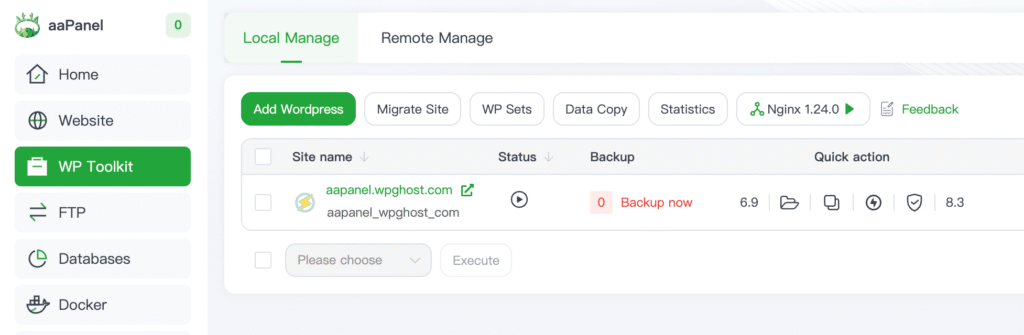
- Log in to aaPanel and go to Website or WP Toolkit.
- Find your domain and click Root (or File / Document Root depending on aaPanel version).
- Open the website root folder (for example,
/www/wwwroot/yourdomain.com/). - Click Upload and upload the
openlitespeed.shscript file to the root folder.
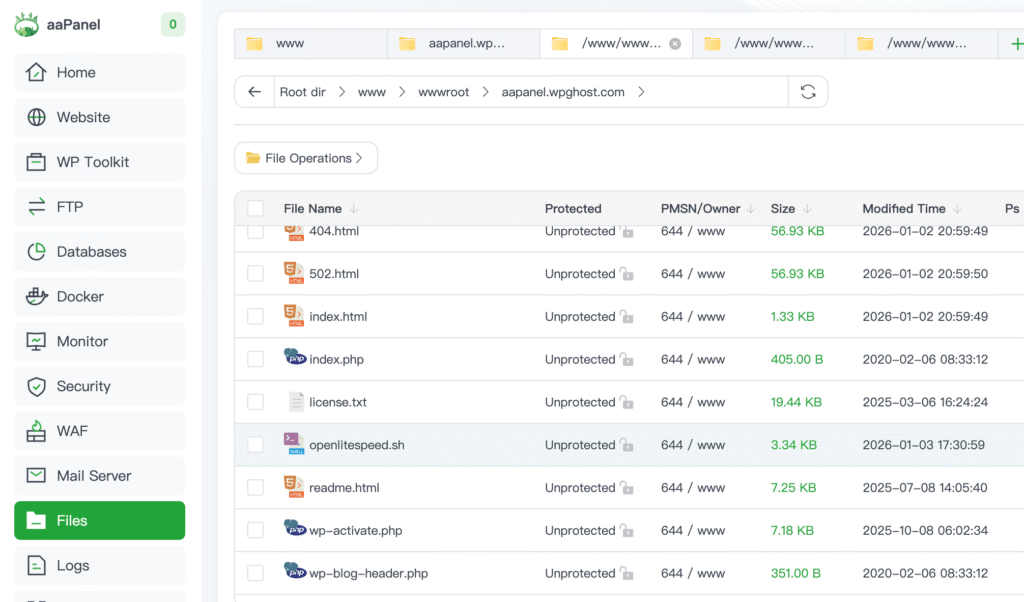
Step 2: Make the Script Executable and Run It
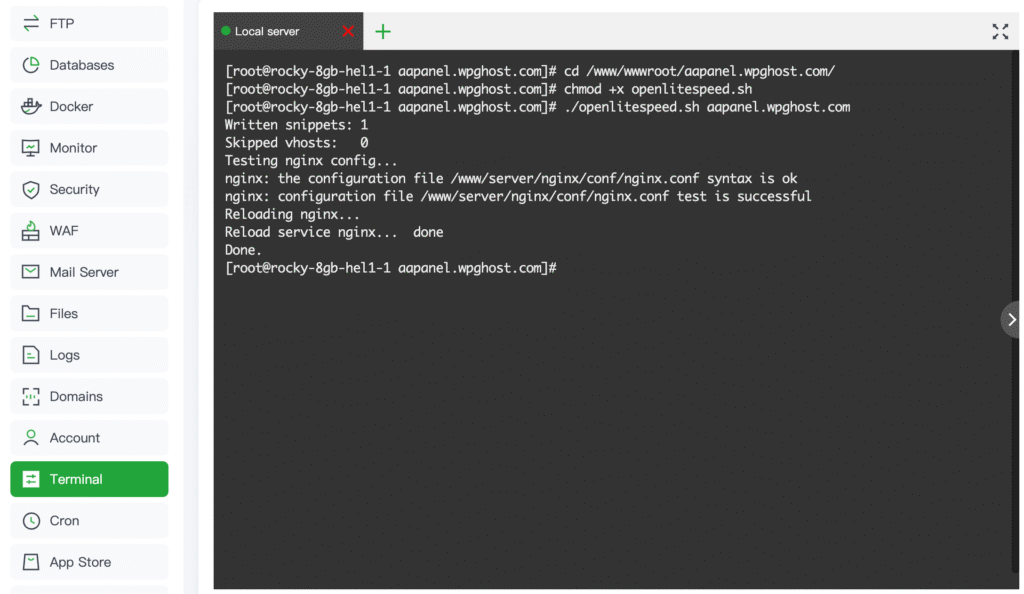
cd /www/wwwroot/yourdomain.com
chmod +x openlitespeed.sh- Run the script:
./openlitespeed.shTo run it for a specific domain only (useful if you host multiple sites):
./openlitespeed.sh yourdomain.com- When the script finishes, you should see:
Testing nginx config...
Reloading nginx...
Done.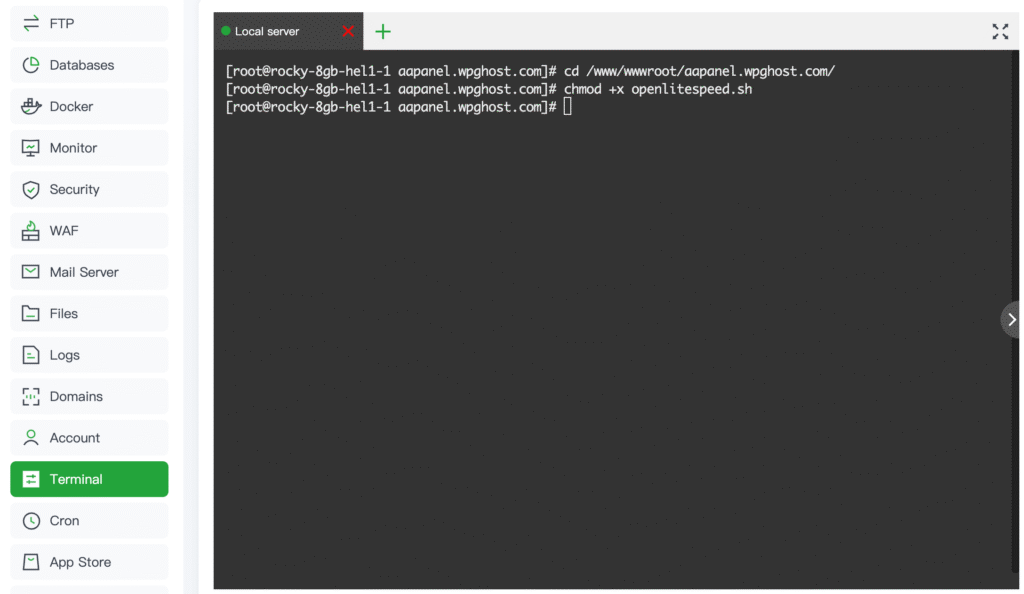
Step 3: Verify in WP Ghost
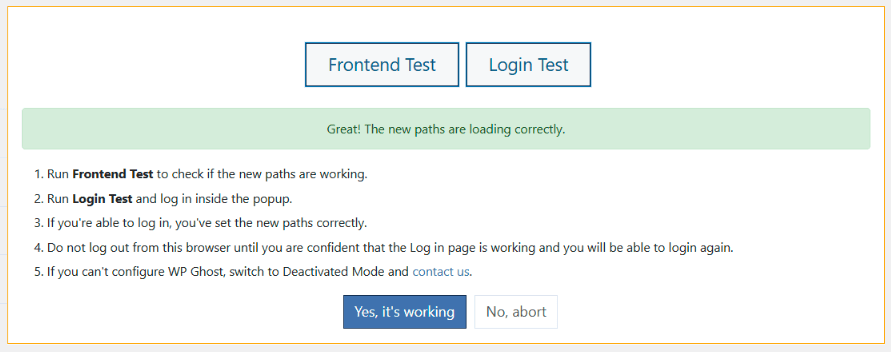
- Go to WP Ghost > Change Paths.
- Run the Frontend Test.
- Run the Login Test.
- If everything loads correctly, click “Yes, it’s working”.
- If something is broken, click “No, abort” to roll back.
Clear cache after running the script. If you use LiteSpeed Cache, Cloudflare, or any other CDN or caching plugin, clear the cache once to avoid old asset paths being served from cache.
What the Script Does
The script acts as a traffic director between Nginx and OpenLiteSpeed. Here is what it does:
- Scans aaPanel Nginx configs at
/www/server/panel/vhost/nginx/*.confto find all domains. - Detects the OpenLiteSpeed upstream for each domain so it knows where to forward requests.
- Creates an Nginx extension snippet per domain at
/www/server/panel/vhost/nginx/extension/<domain>/static-fallback.conf. - Adds the static file fallback rule: if a static file exists on disk, Nginx serves it directly (fast); if it doesn’t exist, Nginx forwards the request to OpenLiteSpeed where WP Ghost’s rewrite rules apply.
- Tests the Nginx config with
nginx -tand reloads Nginx so changes apply immediately. - Creates backups of any existing snippet files (adds a
.bak.<timestamp>copy).
The script does not replace OpenLiteSpeed or modify WordPress. It only changes how Nginx handles static file requests for domains where rewritten URLs don’t match real files on disk. All other functionality remains unchanged.
Troubleshooting
“Permission denied” when running the script
You’re not in the correct folder or the file isn’t executable. Run:
cd /www/wwwroot/yourdomain.com
chmod +x openlitespeed.sh
./openlitespeed.sh
“nginx binary not found” or “vhost dir not found”
This means either you’re not on an aaPanel server with Nginx installed in the standard location, or Multi-WebServer is not enabled the way the script expects. The script checks for common aaPanel paths and stops safely if they’re missing.
Nginx reload fails
The script tries alternative reload methods (reload, then restart if needed). If it still fails, open aaPanel and go to App Store to confirm Nginx is installed and running.
Assets still broken after running the script
Clear all caches: LiteSpeed Cache plugin, Cloudflare, browser cache. Old asset URLs may still be served from cache. Also verify WP Ghost is configured correctly by checking the Frontend and Login Tests in WP Ghost > Change Paths.
Locked out after configuration
Use the Safe URL parameter to bypass WP Ghost temporarily. If that doesn’t work, see the Emergency Disable guide.
Frequently Asked Questions
Is this a one-time fix?
Yes, in most cases. The script creates an extension snippet that aaPanel’s Nginx includes automatically. If aaPanel updates remove the snippet or change the Nginx config structure, re-run the script. You don’t need to re-run it when changing WP Ghost path settings since the fallback rule works for any rewritten path.
Does this apply if I use OpenLiteSpeed only (without Nginx)?
No. If you use OpenLiteSpeed without Nginx in front, WP Ghost works through .htaccess rewrite rules automatically, just like Apache. This guide is only for the Multi-WebServer setup where Nginx is the reverse proxy in front of OpenLiteSpeed. See Configure .htaccess in OpenLiteSpeed for standalone OLS setups.
Does this affect performance?
No. Real static files that exist on disk are still served directly by Nginx (fast). Only rewritten URLs that don’t match real files are forwarded to OpenLiteSpeed. This is the same “try file, then forward” pattern used by most Nginx reverse proxy setups.
Does WP Ghost modify WordPress core files?
No. WP Ghost uses .htaccess rewrite rules (processed by OpenLiteSpeed) and WordPress hooks for application-level changes. The script modifies only Nginx extension snippets in the aaPanel config directory. No WordPress core files are modified.
Related Tutorials
Server panel and OpenLiteSpeed configuration:
- Configure .htaccess in OpenLiteSpeed – For standalone OpenLiteSpeed (without Nginx).
- InMotion Hosting Setup – Similar Nginx reverse proxy + Apache backend.
- Setup WP Ghost on Nginx Server – General Nginx configuration guide.
- Safe URL Parameter – Bypass WP Ghost temporarily if needed.
- Emergency Disable – Recovery if needed.