

A patch existing is not the same as your site being patched, and the gap between those two things is now measured in hours. The honest answer to “how do I stay safe when exploits land this fast” is not “update faster.” It is to put a layer in front of WordPress that rejects the exploit request before it reaches the vulnerable code, so the disclosure-to-update gap stops being a window of exposure. Patching still matters. It just can’t be the only thing standing between a CVE and your site.
The pattern: the fix was available, and the site got hit anyway
Spend a week reading WordPress vulnerability reports and the same shape keeps repeating. A plugin ships a security release. Mass scans for the now-public vulnerability start almost immediately. Sites running that plugin get hit days or weeks later, long after the fix was downloadable, because nobody updated in time. One case making the rounds described a fix that had been available for 66 days before the site was compromised. The patch was never the problem. The patch sat there the whole time.
The last two weeks of June 2026 were a clean example of the volume. Gravity SMTP (reported as CVE-2026-4020), WP Maps Pro (CVE-2026-8732, reported as actively exploited), and Kirki (CVE-2026-8206) all surfaced inside the same window, alongside a widely shared count of roughly 145 plugins with no patch available at all. I am citing those as reported, not independently confirmed, but the trend behind them is solid: Patchstack counted 11,334 WordPress vulnerabilities disclosed in 2025, a 42% jump year over year, and 91% of them lived in plugins rather than core. That is a lot of disclosure events, each one starting its own race.
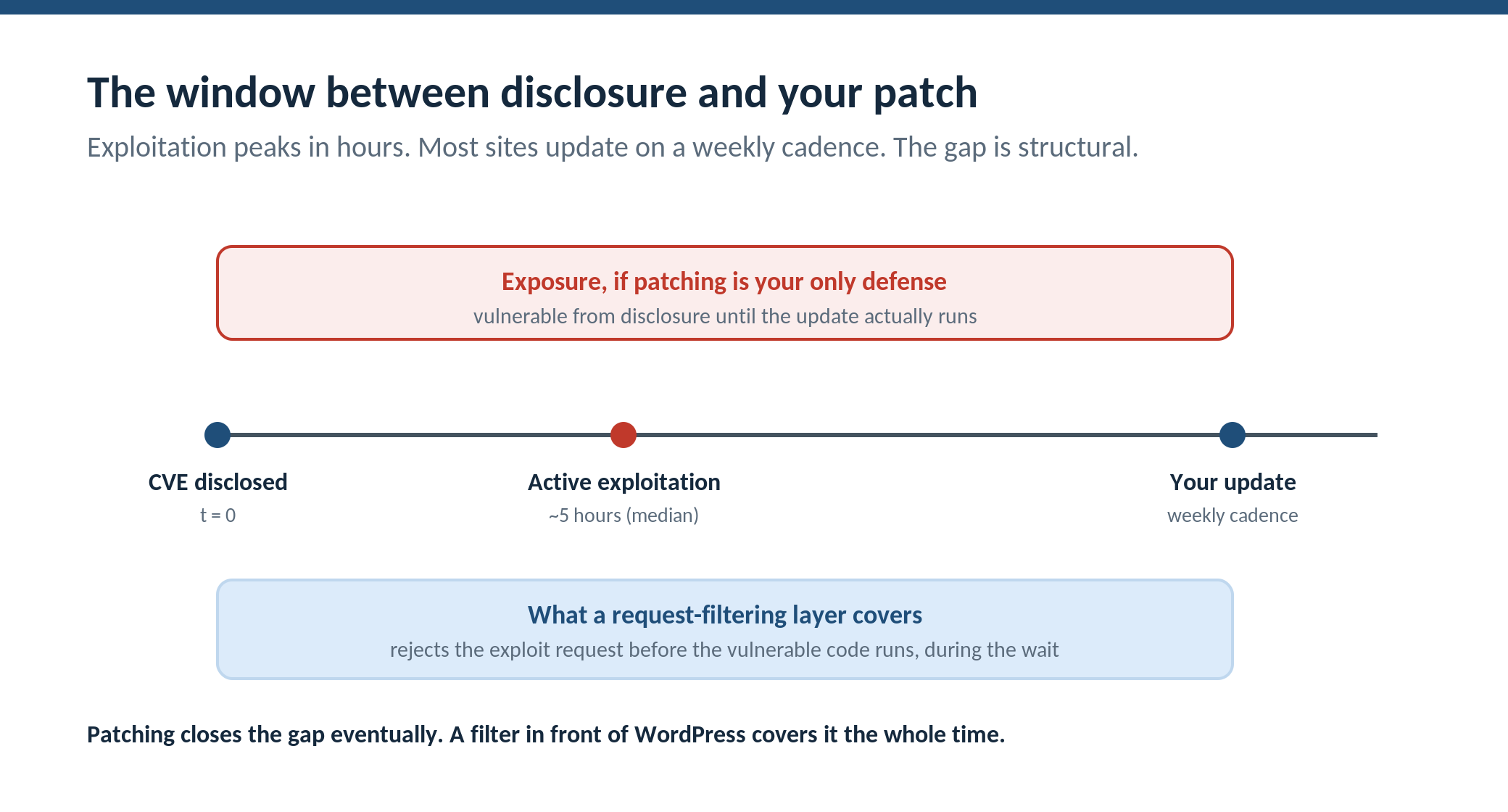
And the race is short. The figure worth memorizing is the median time from public disclosure to active exploitation in the wild: roughly five hours, per WPMayor’s reporting. Now hold that against how most WordPress sites actually update. Weekly, if they are disciplined. “When I get around to it” for plenty of others. Auto-update helps, but it runs on WordPress’s schedule, not the attacker’s, and it does nothing for the cases where no patch exists yet. A five-hour exploitation window against a weekly patch cadence is not a small gap to close by trying harder. It is a structural mismatch.
Why “just patch faster” is necessary but not sufficient
Patch faster anyway. Turn on automatic updates for most plugins. None of what follows replaces that. But notice what “patch faster” can and cannot reach.
It cannot reach zero-day and no-patch-yet cases, where the fix simply does not exist for some stretch of time. It cannot reach the moment right after disclosure, before your update job runs, which is exactly the five-hour zone where exploitation peaks. And it cannot reach the reality that some sites, especially the inherited and the abandoned, will never update on a useful schedule no matter what advice you give their owners.
So the question changes. Instead of “how do I shorten the gap to zero,” which is impossible, the useful question is “what protects the site during the gap, regardless of how long the gap is.” That is a different layer of defense, and it sits in front of WordPress, not inside it.
What actually covers the gap
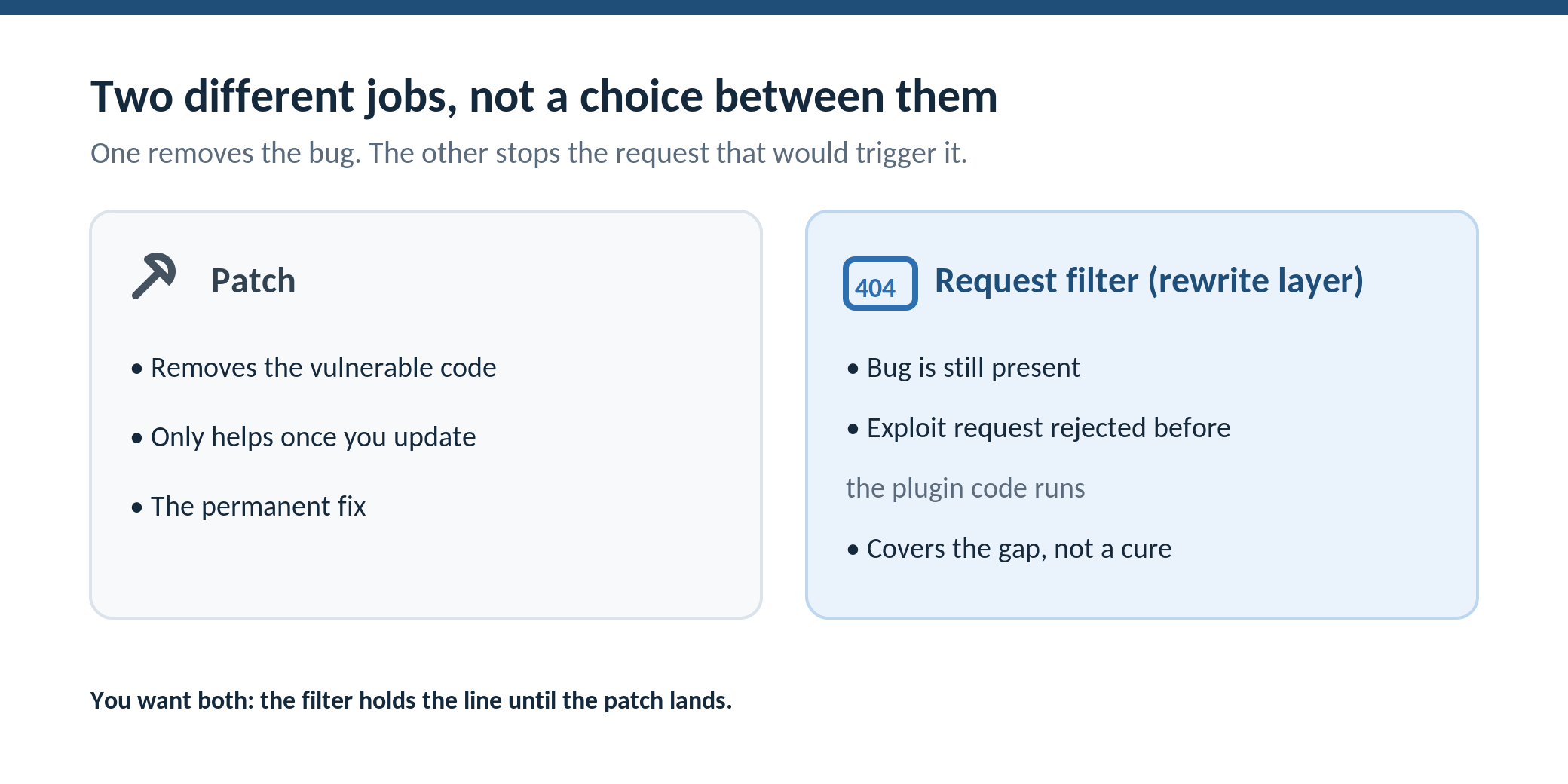
Two architectural moves close most of the exposure, and neither one is patching.
The first is request filtering at the server layer. A firewall that evaluates incoming requests against known-bad patterns can reject the exploit request before it ever reaches the vulnerable plugin’s code. The vulnerability is still there. The bug is not fixed. But the malformed request carrying the SQL injection string, the directory-traversal payload, or the known exploit signature gets rejected before the plugin that would mishandle it is ever invoked. When this runs as server-level rewrite rules rather than as PHP inside WordPress, the rejection happens before WordPress loads at all, so a mass-scan probe costs you a 404 instead of a full application boot. On the sites we run at Squirrly, that layer is WP Ghost’s server-level firewall, an 8G-style ruleset that executes at the rewrite layer. It is worth being precise here and not overselling it: this is sometimes called virtual patching, and it is genuinely useful, but it only stops exploit patterns the ruleset recognizes. It is a strong net, not a guarantee, and it is not a substitute for the real patch once that patch exists.
The second is reducing what the mass scan can find in the first place. Exploit kits that sweep the web after a disclosure are not careful. They probe default WordPress paths, fingerprint the stack, and fire the matching exploit at anything that looks like a hit. When the default endpoints are reconfigured so a probe to /wp-login.php, /wp-admin, or the standard REST routes returns 404 at the rewrite layer before PHP runs, a lot of that automated traffic finds nothing to work with, independent of whether you have patched. WP Ghost’s Paths Security is what we use for that. It does not fix any vulnerability either. It changes how much of the indiscriminate, post-disclosure scan volume ever reaches a place where a vulnerability would matter.
Put together, the two layers turn the patch window from a period of pure exposure into a period where most of the automated attack traffic is either rejected at the door or aimed at endpoints that no longer answer. The bug is still unpatched. Your exposure during the wait is much smaller.
Honest placement: this is not a Wordfence replacement
Request filtering is not unique to any one tool, and pretending otherwise would be the kind of overclaim that gets fact-checked fast. Wordfence and Sucuri both run capable WAF-style filtering, and Sucuri’s sits at the network edge in front of your DNS, which has its own advantages. The relevant difference is architectural, not “better or worse”: Wordfence’s firewall runs as PHP inside WordPress, so the request still loads the application before being filtered; a rewrite-layer ruleset filters before PHP starts. Run whichever fits your stack, and if you already run one, the path-reconfiguration layer is the part that is usually missing. The point of this article is the time axis, not a tool bake-off. Cover the gap with something. The something can be a companion to what you already have.
What to actually do before the next disclosure
Turn on automatic updates for everything that can take them safely, and for the handful of high-blast-radius plugins, stage the updates so a single bad release cannot hit every site you manage at once. Put a request-filtering layer in front of the application so known exploit patterns are rejected during the window before you patch. Reconfigure the default paths so the post-disclosure mass scans return 404 instead of a fingerprint. Keep a scanner in the stack regardless, because none of this detects a compromise that already happened. And watch your logs around any disclosure that affects a plugin you run, because the first sign of trouble is usually a spike of identical requests against one endpoint.
The shrinking patch window is real, and it is not going to stop shrinking. The takeaway is not to panic about exploit speed. It is to stop treating the patch as the only line of defense, when the more reliable move is to make sure the exploit request fails before it reaches the code you have not patched yet.
FAQ
If I have automatic updates on, do I still need a firewall?
Yes. Automatic updates run on WordPress’s schedule and only help once a patch exists. They do nothing in the five-hour-ish window between disclosure and exploitation, and nothing for zero-days where no patch is out. A request-filtering layer covers that gap by rejecting the exploit request itself, independent of whether the underlying bug is patched.
Is “virtual patching” a real thing or marketing?
It is real, with limits worth stating plainly. A firewall can block the request pattern that triggers a known vulnerability, which buys you time before the real patch. But it only stops patterns the ruleset recognizes, it does not fix the bug, and a determined attacker may find a variant the rule misses. Treat it as a strong stopgap during the patch window, not a permanent substitute for updating.
What about vulnerabilities with no patch available?
Those are exactly where a request-filtering layer earns its place, because there is nothing to update yet. Blocking the exploit pattern and reducing what a scan can fingerprint are the only levers you have until the maintainer ships a fix. If a plugin is unmaintained and the vulnerability is serious, the honest move may be to remove the plugin entirely.
Does changing my default paths actually help if the plugin is still vulnerable?
It does not patch the plugin. What it does is reduce how much indiscriminate, post-disclosure scan traffic ever reaches the vulnerable code. Mass exploit kits probe default WordPress paths; when those return 404 before PHP loads, a large share of automated attempts fail at the door. Targeted attacks against a specific site are a different threat, but the bulk of post-CVE traffic is automated and undiscriminating.
How fast do exploits really start after a disclosure?
WPMayor’s reporting puts the median at roughly five hours from public disclosure to active exploitation. Some are faster. The practical implication is that “I’ll update at the weekend” is not a strategy that covers the window, which is why a layer that protects the site before you update matters more than it used to.
If you want to test the path-reconfiguration side of this, WP Ghost has a free version on wordpress.org that reconfigures the default endpoints and includes the rewrite-layer firewall, so you can see what a default-path probe returns before and after.