
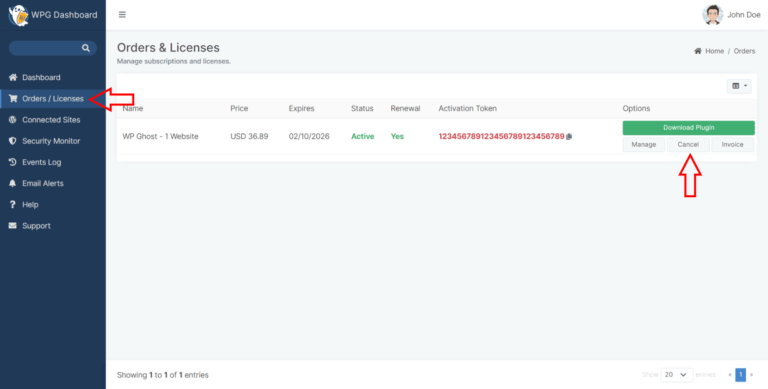
Canceling your active yearly subscription with WP Ghost is a simple process that you can complete directly through your WP Ghost Dashboard. The steps below will guide you through the process and provide detailed information about what happens after cancellation.
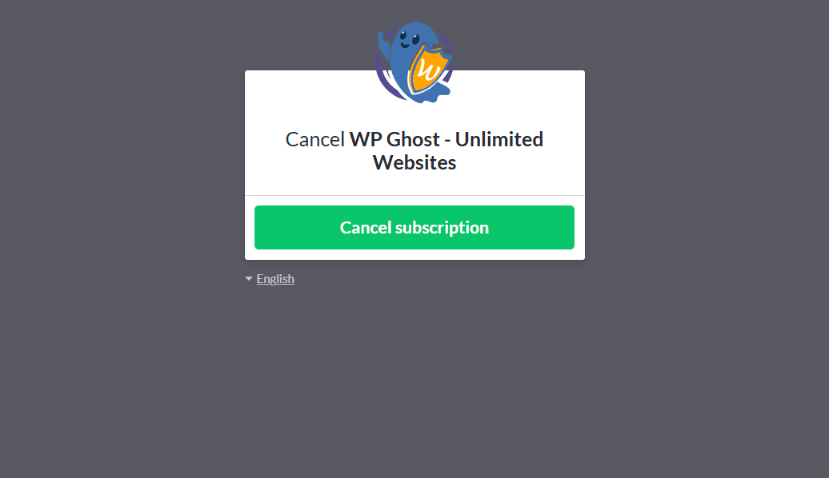
Cancel Your Subscription
- First, log in to your WP Ghost Dashboard account using the email address associated with your subscription.
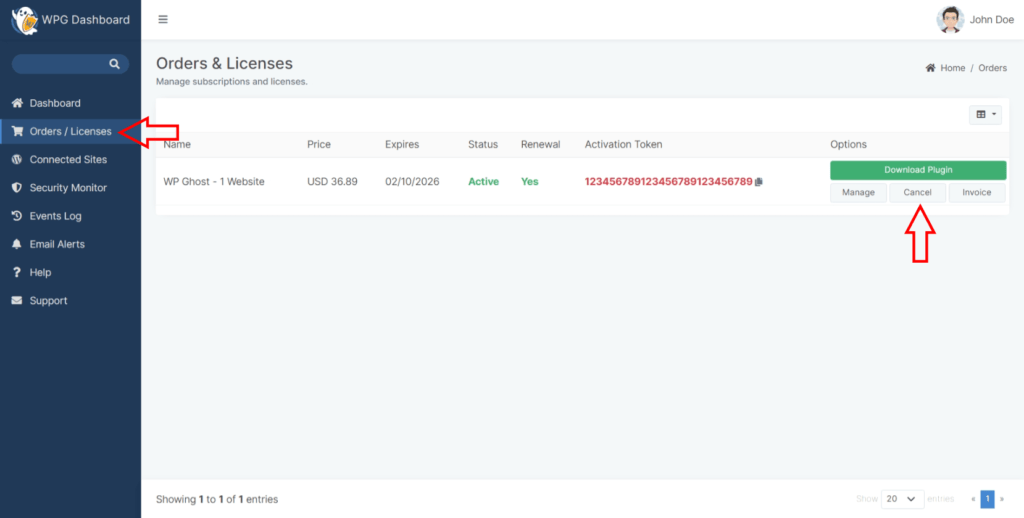
- Go to the Orders/Licenses section. You can view all your active subscriptions, licenses, and order history here. Identify the subscription that you wish to cancel.
What Happens After Cancellation
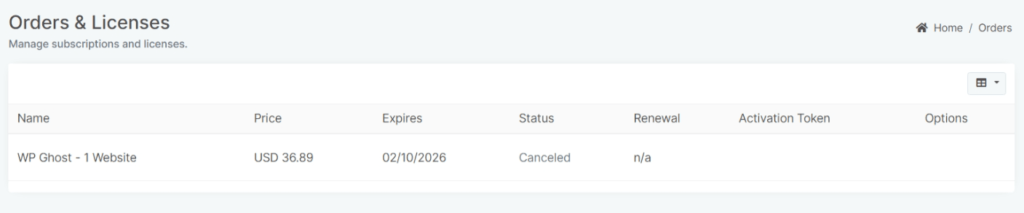
Once you cancel your subscription, you will retain access to the WP Ghost plugin without any interruptions for the remainder of the subscription period. After the subscription expires, the plugin will continue functioning on your website. WP Ghost ensures that your website security is not compromised, even if you choose not to renew your subscription.
The plugin will remain operational at the last updated version available before your subscription expiration. WP Ghost does not block access to the plugin, as maintaining your website’s security is a top priority.
Reactivating Your Subscription
If you wish to resume receiving security updates and support in the future, you can reactivate your subscription at any time. To do this, log in to your WP Ghost account using the same email address you used for your previous subscription. WP Ghost will recognize your account and extend your subscription for another year, starting from the payment date.
Reactivating your subscription ensures that your website stays up-to-date with the latest security patches and features, providing you with peace of mind and continued protection.
Conclusion
Canceling your WP Ghost subscription is designed to be straightforward and user-friendly. You can manage your subscription confidently, knowing that you’ll maintain access to the plugin’s critical features even after cancellation.
WP Ghost makes it very simple to reactivate and continue protecting your website anytime you need security updates and support.