
If users see a 404 error or can’t access the registration form after you changed the register path in WP Ghost, the custom path isn’t resolving correctly or cached pages still link to the old URL.
Clear all caches
The login page is often cached with the old registration URL. Clear your WordPress cache plugin, CDN cache, and browser cache. Then visit the login page in an incognito window and check that the “Register” link points to your custom path, not the default ?action=register.
Run the Frontend Test
Go to WP Ghost > Change Paths and click the Frontend Test button. If the test fails for the registration path, your server’s rewrite rules aren’t handling it. Follow the configuration instructions shown for your server type.

Flush permalink settings
Go to Settings > Permalinks and click Save Changes without modifying anything. This regenerates WordPress’s rewrite rules, which can fix registration path routing issues.
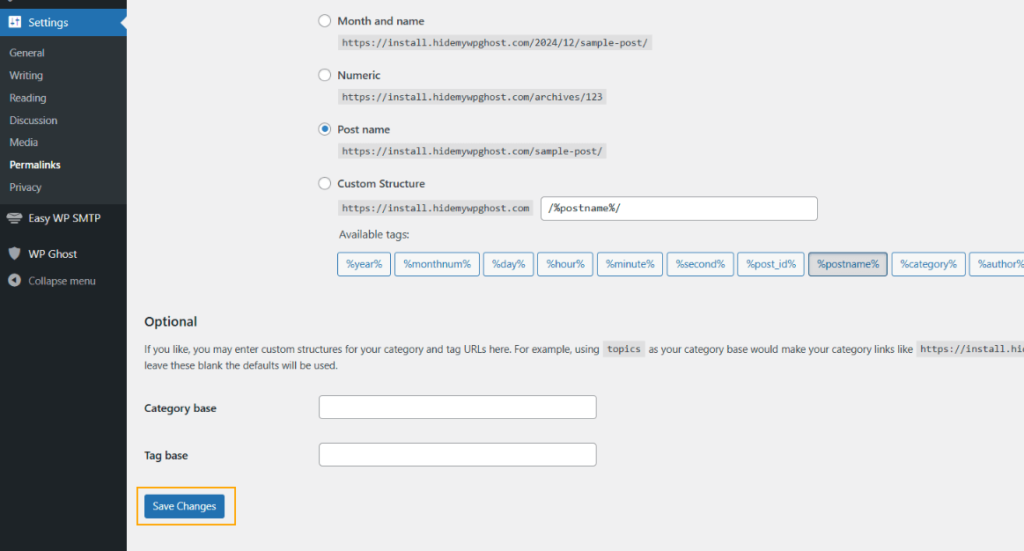
Check for typos in the custom path
Go to WP Ghost > Change Paths > Login Security and review the custom register path for typos, spaces, or special characters. Test the path directly in your browser: yourdomain.com/your-custom-register-path. You should see the registration form, not a 404.
Revert to the default path
If the issue persists, go to WP Ghost > Change Paths > Login Security, clear the Custom Register Path field, and save. This restores the default ?action=register URL. If registration works again with the default path, the issue is server rewrite rules not handling the custom path.

Check for registration plugin conflicts
Plugins that customize the registration process (membership plugins, custom registration form plugins, user management plugins) can override WP Ghost’s custom registration path. Temporarily deactivate registration-related plugins and test. See also Membership Plugins Not Functioning After Register Path Change for membership-specific conflicts.
If you’ve lost access to the admin dashboard, see the emergency disable guide.