
By default, the wp-admin path is accessible to all logged-in users (administrators, editors, authors, subscribers, and customers). This is normal WordPress behavior, not a WP Ghost issue. Most lower-privileged users never need to see the admin dashboard though, so WP Ghost includes a Hide “wp-admin” from Non-Admin Users option that restricts dashboard access to administrators only. Other user roles can still log in and use the site, they just cannot reach the wp-admin dashboard. This reduces the attack surface if a non-admin account gets compromised: even with valid credentials, the attacker cannot reach sensitive admin pages.
Why wp-admin Is Visible to All Logged Users by Default
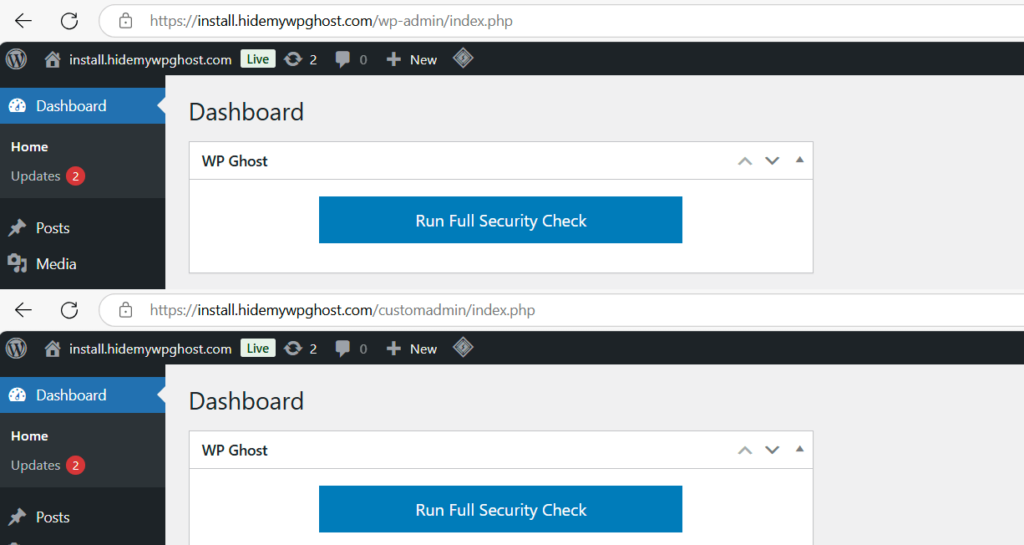
WordPress was designed to give every logged-in user access to some version of the admin dashboard, even basic users like subscribers see a profile page at /wp-admin/profile.php. This default behavior makes sense for simple blog setups where everyone is a trusted contributor, but it creates unnecessary exposure on sites with many user roles.
Sites where this default becomes a problem:
WooCommerce stores. Customers are registered users but should never see anything in wp-admin.
Membership sites. Members log in to access member content, not the WordPress dashboard.
Multi-author blogs with subscribers. Subscribers who sign up for newsletters or comments do not need admin access.
On any of these sites, if a non-admin account gets compromised (phished, reused password, credential stuffing), the attacker inherits access to wp-admin, which is a bigger attack surface than necessary.
How to Restrict wp-admin to Administrators Only
Go to WP Ghost > Change Paths > Admin Security. Switch on Hide “wp-admin” from Non-Admin Users. Save.

With this option active, logged-in users still authenticate normally, but only administrators can reach the wp-admin dashboard. Editors, authors, subscribers, customers, and other non-admin roles get redirected away from wp-admin.
Note! Keeping wp-admin visible when you are logged in as administrator helps prevent site issues if WP Ghost is deactivated or if another plugin relies on the default admin path in the backend.
Why This Adds Real Security
The principle is called least privilege, users and processes should have access to only what they need. When every logged-in user has wp-admin access, a compromise of any single account becomes a compromise of the admin surface. With the restriction active:
A compromised subscriber account cannot probe admin-only plugins. A compromised editor account cannot reach plugin or theme installation screens. A stolen customer credential pair cannot be used to probe admin vulnerabilities. The admin surface stays restricted to admin accounts, which are typically fewer in number and easier to protect with strong passwords, 2FA, and IP whitelisting.
Other Admin Security Layers in WP Ghost
Restricting wp-admin to admins is one layer. The complete admin protection stack in WP Ghost includes:
Change the admin path. Replace the default /wp-admin with a custom URL so bots scanning the default path get nothing. See Change and Hide Login Path.
Two-Factor Authentication. Require a second verification step for admin logins, so credential theft alone is not enough to log in. See Two-Factor Authentication.
IP whitelist. Allow admin access only from trusted IP addresses. See Whitelist IPs and Paths.
Each layer is additive. Together they make admin access dramatically harder for attackers, even when other WordPress components have vulnerabilities.
Frequently Asked Questions
Will this break WooCommerce customer accounts?
No. WooCommerce customers access their account through the front-end My Account page, not wp-admin. Enabling Hide wp-admin from Non-Admin Users affects only the backend dashboard, not the customer-facing account pages, cart, checkout, or shop. Customers will not notice any change.
What about shop managers and editors, can they still do their jobs?
Shop managers in WooCommerce have admin-level capabilities, so they continue to access the dashboard normally. The restriction affects user roles below admin level: subscribers, customers, and typically authors and contributors unless you adjust the settings for your specific site. Editors and shop managers keep working as they did.
What happens if a non-admin tries to access wp-admin?
They are redirected away from the dashboard. The exact redirect target depends on your configuration, most commonly they land on the front-end homepage or their profile page.
Can I test this works correctly?
Yes. After saving the setting, log out of your admin account, log in with a non-admin test account (create one if needed at Users > Add New with the Subscriber role), and try to access wp-admin. You should be redirected rather than seeing the dashboard. Then log back in as admin and confirm your own access still works.
What if I get locked out as an administrator?
WP Ghost has recovery options for emergency access. See How to Disable WP Ghost in Case of an Error. Administrators should normally never be affected by this specific setting because it only restricts non-admin roles, but the recovery guide covers all lockout scenarios.
Does WP Ghost modify WordPress core files?
No. WP Ghost works through server rewrite rules and WordPress hooks. The admin restriction is implemented through role capability checks in the WordPress admin lifecycle, not through core file modifications. Deactivating WP Ghost restores the default behavior where all logged-in users can reach wp-admin.
Hiding common paths with WP Ghost protects your site against bot attacks that target default WordPress URLs.