
Both, but for different reasons. Hiding WordPress from hacker bots is a security measure, it blocks the reconnaissance phase that bots rely on to identify your site as WordPress before attacking. Hiding WordPress from theme and CMS detectors (IsItWP, Wappalyzer, BuiltWith) is primarily a brand and competitor-research concern, not a security one. Most WordPress attacks come from automated bots, not human attackers, so hiding from bots provides real protection. Hiding from detectors is useful if you do not want competitors, clients, or visitors to know your tech stack, but it does not replace hack prevention features like path security, the firewall, 2FA, and brute force protection.
How Bot Attacks Actually Work
A hacker bot loads software with hundreds or thousands of exploit actions and URLs designed to find breaches on specific CMS platforms. From URL to URL across the internet, the bot runs all of its actions without first verifying which CMS the site uses. When the bot gets a signal that a breach exists (for example, a 200 OK response from /wp-login.php, or a known plugin vulnerability endpoint), it automatically injects a malicious script or worm.
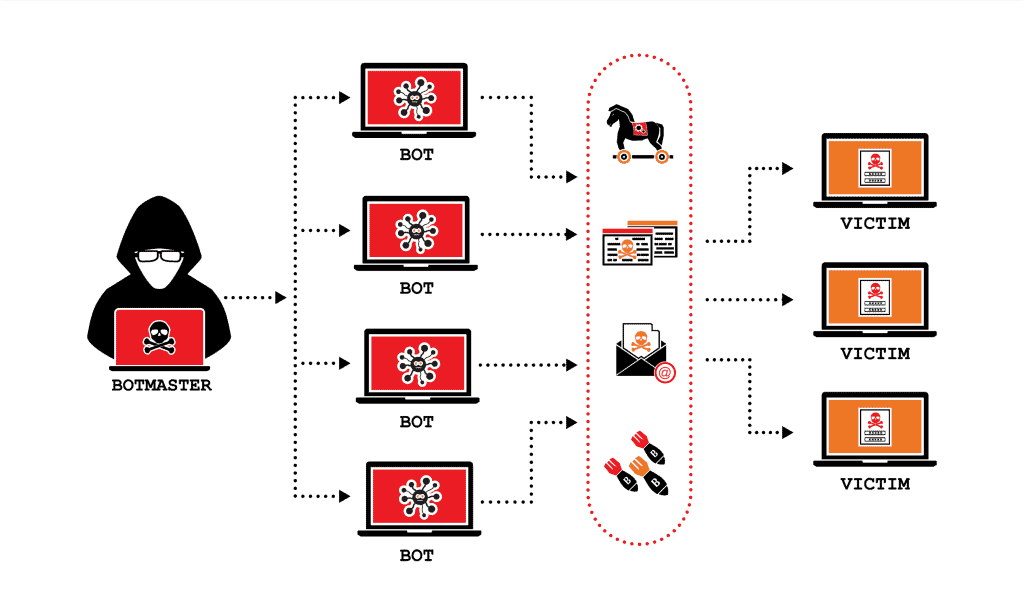
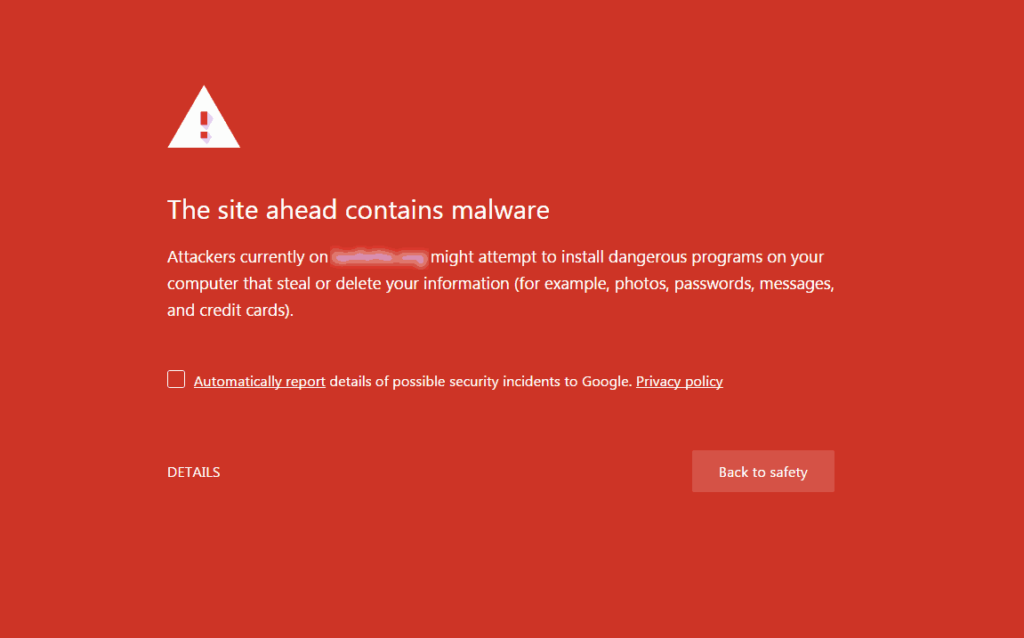
Most website attacks come from bots, not human hackers. A single site can receive thousands of malicious requests per minute without the owner knowing, the bots operate silently in the background, and only surface when something succeeds. A hacked site is often the first sign an owner has that anything was wrong, and by then the damage, injected malware, stolen data, defacement, is already done.
Hide From Hacker Bots, This Is Real Security
Hiding WordPress from hacker bots is a proven prevention strategy. When bots cannot confirm your site runs WordPress, they skip their WordPress-specific exploit chain and move to the next target. The bot reconnaissance phase works like this:
1. The bot sends a request to /wp-login.php. If it gets a 200 OK response, WordPress is confirmed. 2. The bot probes /wp-content/plugins/ and /wp-content/themes/ to enumerate installed plugins and themes. 3. The bot queries each plugin’s directory with known vulnerability endpoints. 4. If any probe succeeds, the bot fires the corresponding exploit.
When WP Ghost changes these default paths, every step of the reconnaissance phase fails. /wp-login.php returns 404. /wp-content/plugins/ returns 404. The bot has no signal that WordPress is running, so the exploitation phase never starts. See Hide WordPress Common Paths and Files for the full list of paths to hide.
Hide From Theme Detectors, This Is Brand and Privacy
Theme and CMS detectors like IsItWP, Wappalyzer, BuiltWith, and WhatCMS work differently from hacker bots. They analyze your public HTML, CSS references, meta tags, and file paths to identify your CMS, theme, plugins, and other tech stack details. Hiding from these detectors is legitimate, but for different reasons than blocking bots:
Competitor research. Your competitors may scan your site to see which themes and plugins you use, then copy the setup. Hiding detector signals keeps your tech stack private.
Brand consistency. Some agencies and businesses prefer not to associate their site with WordPress publicly, either because they position themselves as custom-built, or because clients perceive WordPress as less professional than it is.
Reducing attack surface indirectly. While hiding from detectors alone is not security, it does remove one signal sophisticated attackers use when choosing targets. An attacker who cannot confirm WordPress through Wappalyzer may skip your site for an easier one.
See Hide from WordPress Theme Detectors and Hide WordPress from Wappalyzer.
Hackers vs Detectors, Side by Side
| Target | Hacker Bots | Theme Detectors |
|---|---|---|
| Who does this? | Automated attack scripts, botnets | Competitors, researchers, curious visitors |
| What do they want? | To exploit your site for malware, spam, resources | To identify your tech stack |
| Attack volume | Thousands of requests per minute | One or two manual scans |
| Damage if successful | Site compromised, data stolen, blacklisted | Tech stack visibility, possibly copied |
| Main defense | Path security, firewall, 2FA, brute force protection | Remove fingerprints (version tags, generator meta, RSD headers) |
| Priority for security | Critical | Optional, brand-dependent |
The Full WP Ghost Approach
WP Ghost covers both concerns with different features, and the two work together without conflict.
For Hacker Bot Protection
Activate Safe Mode or Ghost Mode at WP Ghost > Change Paths > Level of Security to change default WordPress paths. Enable the 7G/8G firewall at WP Ghost > Firewall to block injection attempts at the server level. Enable brute force protection with reCAPTCHA at WP Ghost > Brute Force to block login attacks. Enable 2FA with passkeys at WP Ghost > 2FA Login for the strongest login defense. See Firewall Security and Brute Force Protection.
For Theme Detector Hiding
Enable the full Hide from Theme Detectors feature at WP Ghost > Tweaks. This removes WordPress version tags, generator meta, RSD headers, WLW manifest links, and strips identifying strings from source code. Combined with path security, theme detectors find no WordPress signals to analyze. See Hide WordPress Generator and Hide WordPress Version.
For Maximum Cover, Simulate Another CMS
Premium users can go further and simulate running Drupal or Joomla instead of WordPress, by adding decoy signals that make detectors report the wrong CMS entirely. See Simulating Drupal or Joomla CMS with WP Ghost.
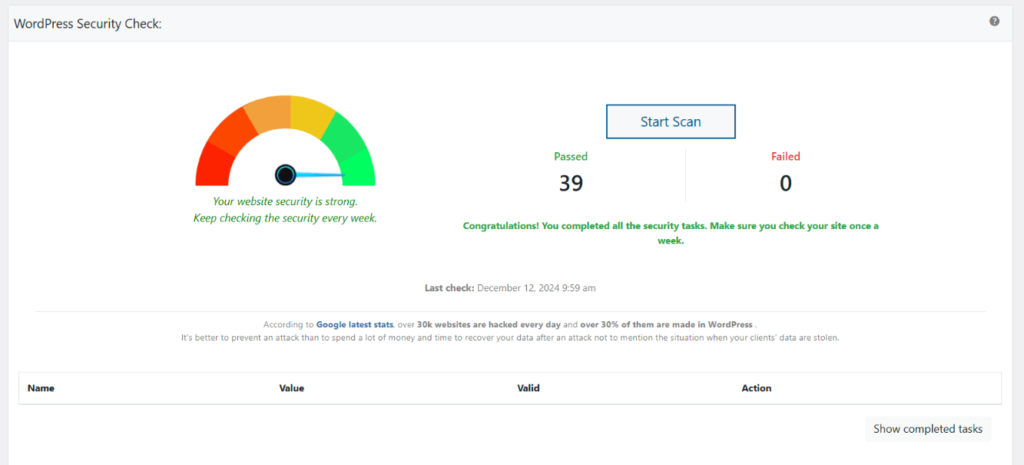
After setup, run WP Ghost > Security Check to verify both layers are active. See Website Security Check. WP Ghost’s 115+ free features and 150+ premium features cover both hacker bot defense and detector hiding without needing additional tools for either.
Compatible with Other Security Plugins
WP Ghost runs alongside Wordfence, Solid Security (formerly iThemes Security), Shield Security, and other security plugins without conflicts. Each plugin covers different layers: WP Ghost handles prevention (path security, firewall, 2FA, detector hiding), the others handle detection and response (malware scanning, file integrity checks, incident response). For a list of tested combinations, see the compatibility plugins list.
Frequently Asked Questions
If I only hide from theme detectors, is my site secure?
No. Theme detector hiding is a brand and privacy feature, not a security feature. Hacker bots do not use theme detectors, they probe WordPress paths directly. To be actually secure, you need path security, the firewall, brute force protection, and 2FA. These are all in WP Ghost’s free version.
Should I hide from both hackers and detectors?
Yes, if you want complete coverage. Hide from hacker bots for real security (essential), and hide from theme detectors for brand privacy (optional but useful). Both features run together in WP Ghost with no conflicts.
Will hiding from detectors affect SEO?
No. Removing WordPress version tags, generator meta, and RSD headers has zero impact on Google’s ability to crawl and index your site. Google processes your HTML content, not the WordPress-identifying meta tags. Theme detectors lose their signals, Google keeps all the signals it actually uses.
Can theme detectors still identify my site after I enable WP Ghost?
Most cannot, if you enable all the detector-hiding features. Some sophisticated tools may infer WordPress from edge cases (specific rendering quirks, JavaScript behaviors), but for the vast majority of detectors (IsItWP, Wappalyzer, BuiltWith, WhatCMS), WP Ghost’s full configuration hides you successfully. For the strongest hiding, add CMS simulation (pretend to be Drupal or Joomla) as a Premium feature.
Which is more important, path security or detector hiding?
Path security, by far. Path security is the primary defense against the thousands of automated attacks that hit every WordPress site every day. Detector hiding is secondary, it helps with brand privacy and can reduce targeting by sophisticated attackers, but it does not stop automated bot attacks on its own.
Does WP Ghost modify WordPress core files?
No. WP Ghost works through server rewrite rules (.htaccess on Apache, hidemywp.conf on Nginx) and WordPress hooks. It filters HTML output to remove detector signals and rewrites URLs to hide WordPress paths, without modifying any core file. Deactivating WP Ghost restores every default instantly.