After changing the wp-content path, some plugins are not functioning properly
After Changing the wp-content Path, Some Plugins Are Not Functioning Properly
Read More →

Stuck after configuring WP Ghost? Fix 404 errors, redirect loops, broken admin access, frontend not loading, missing CSS, theme issues, and more. Emergency disable instructions included for when you cannot log in. Real solutions to real problems.
After changing the wp-content path, some plugins are not functioning properly
If clicking the logout link does nothing, redirects to the homepage, or shows an error after changing the logout path in WP Ghost, the custom path isn’t resolving or the session nonce is mismatched. Flush permalink settings Go to Settings > Permalinks and click Save Changes without modifying anything. This regenerates WordPress’s rewrite rules, which […]
If the WordPress post editor (Gutenberg or Classic) shows errors like “Updating failed” or “Publishing failed” after changing the admin-ajax.php path in WP Ghost, the editor’s AJAX requests can’t reach the new path. The block editor uses both the REST API and AJAX for saving, and a misconfigured AJAX path breaks the save process. Log […]
If Elementor, Divi, Bricks, or another page builder shows “Saving failed” or similar errors after changing the admin-ajax.php path in WP Ghost, the page builder’s save requests can’t reach the new AJAX endpoint. Page builders rely heavily on AJAX calls for saving content, loading templates, and syncing editor state. Log out and log back in […]
If contact forms, comment forms, or other AJAX-powered forms stop submitting after changing the admin-ajax.php path in WP Ghost, the form plugin is still sending requests to the old AJAX URL. Most form plugins (Contact Form 7, WPForms, Gravity Forms, Ninja Forms, etc.) use WordPress’s admin_url(‘admin-ajax.php’) to locate the AJAX endpoint, which WP Ghost rewrites […]
If your theme’s layout is broken, CSS styles are missing, or the site looks unstyled after changing paths in WP Ghost, the custom paths for CSS and JS files aren’t resolving on your server. The browser can’t load stylesheets and scripts from the new paths, so the theme renders without styling. Clear all caches This […]
While this plugin is designed to have custom paths indexed in Google for good SEO, deactivating it can leave behind custom paths that need proper handling to prevent 404 errors.
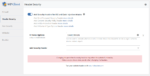
One of the security measures implemented by WP Ghost is the use of the X-Frame-Options header. When set to SAMEORIGIN, this option restricts web pages from being embedded within iframes on external sites.
If your theme looks broken or your site loads noticeably slower after activating WP Ghost’s Safe Mode or Ghost Mode, the custom path rewrite rules are not being handled by your server’s config file. Instead, WordPress is processing them through PHP redirects, which uses more resources and causes slow page loads and broken CSS/JS loading. […]
Automattic does NOT allow customization of the wp-admin and the wp-login paths. The host refuses to make changes in the server config file and restart the service.